Changelog
June 29, 2026
You can now choose a Google Font for the embedded widget and floating Ask AI button, helping the UI better match the site it is installed on. The Ask AI button also supports bold and italic text styling.
June 25, 2026
New API keys now use a cc_live_ prefix, more entropy, and hash-only storage with safe display metadata. Full keys are shown only once when created, while the dashboard stores and lists only non-sensitive prefix and last-four information.
API key authentication now supports both new hashed keys and existing legacy keys, and key deletion is scoped to the owning user to prevent cross-account deletion.
June 24, 2026
Subpages in the app now have clearer back navigation, making it easier to return from detail and creation screens such as actions and articles. Knowledge tables were also refined so rows are easier to open, actions are easier to find, and long titles behave better.
June 24, 2026
Questions now appear in the chat widget immediately after submission, so users no longer wait on thread creation or answer startup before seeing their message. The loading state was simplified from skeleton blocks to clear status text like "Thinking..." and "Answering...".
The Web embed page also includes a test widget, so teams can try the real embedded chat experience before installing it on their site.
June 16, 2026
CrawlChat now resolves source links for answers with a single batched lookup instead of repeatedly querying each search result one at a time. This reduces answering latency, especially for questions that match many source chunks, while preserving citation URLs from the knowledge base.
June 16, 2026
Added Z.ai GLM 5.2 as a selectable model for collections and channels. The model is available through OpenRouter, is configured for documentation RAG with four retrieved sources, and costs four credits per message.
May 14, 2026
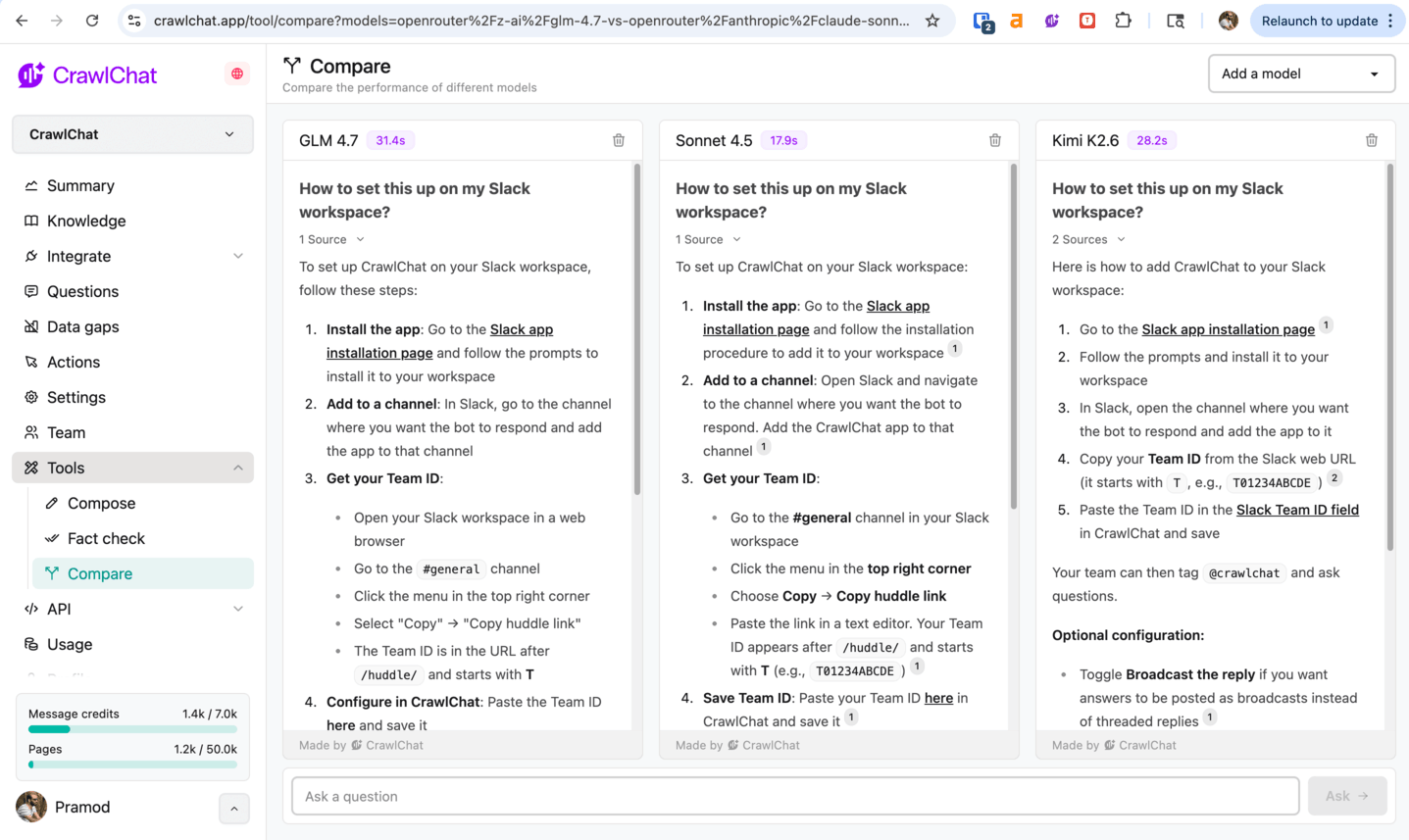
Run and compare the same question against multiple models at once, see each response with a latency badge, and share the setup via the URL. Open the comparison tool from the scrape sidebar or here.
May 13, 2026
Top-up credits now roll over to the next billing period.
April 10, 2026
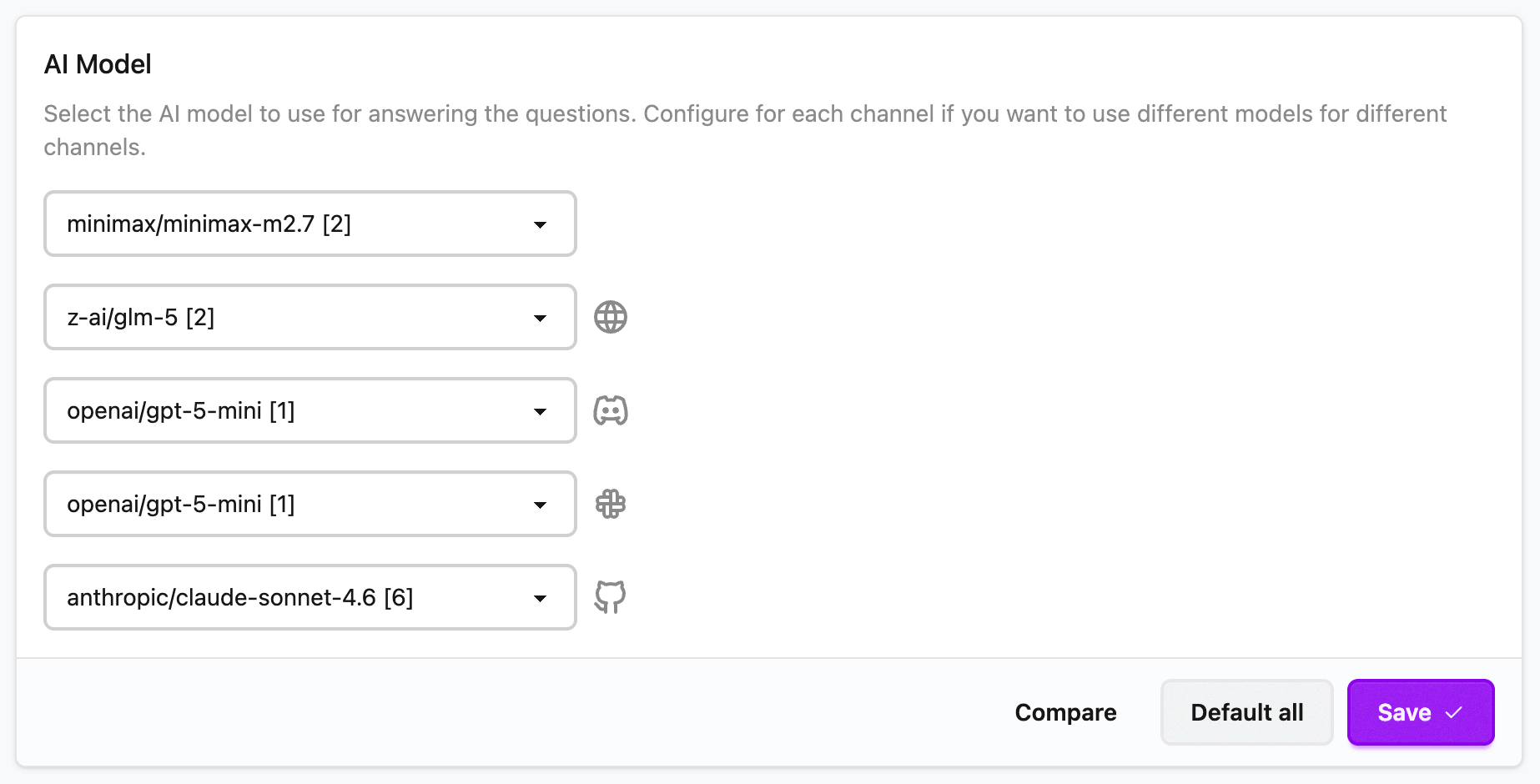
You can now configure an AI model separately for each channel, such as Web embed, Discord bot, Slack app, and GitHub bot. This gives you the flexibility to tailor models to different use cases and usage patterns. Configure it from here.
April 9, 2026
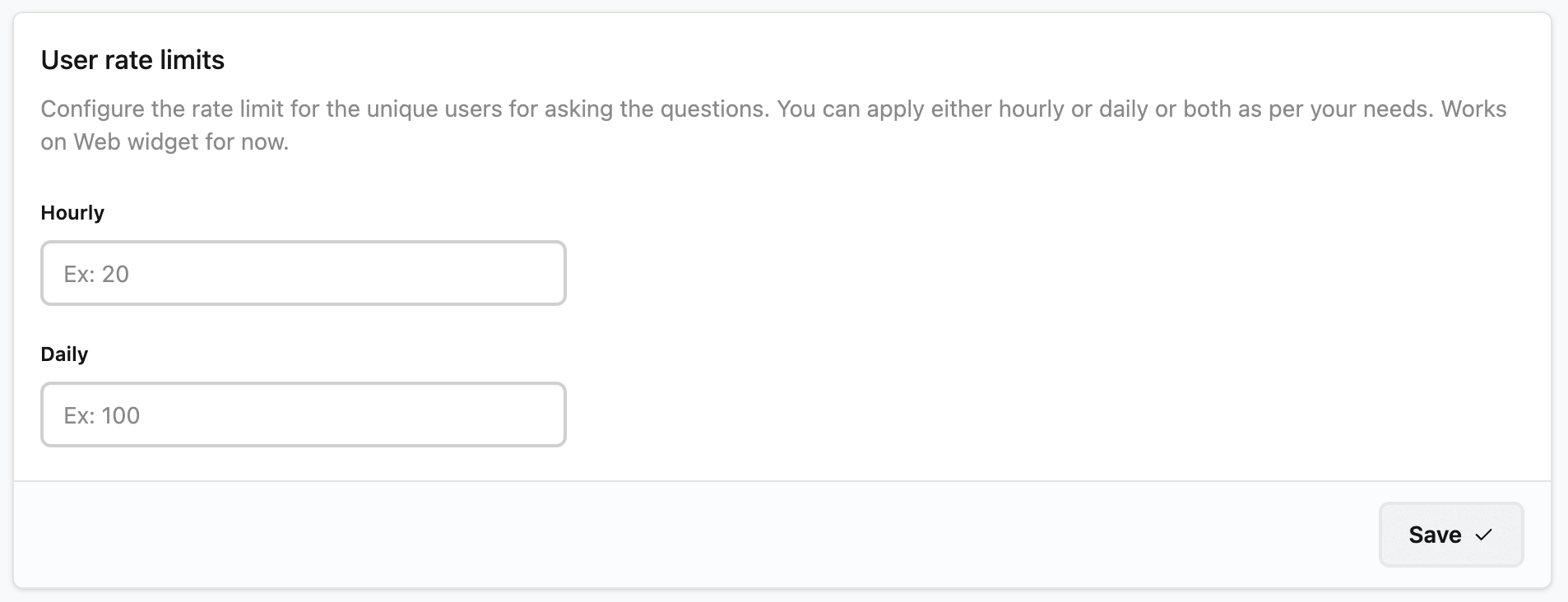
Now you can apply rate limits to unique users for the questions they ask. You can set Hourly, Daily, or both limits. To start, this is rolled out for the web widget. Users get notified if the limit is reached. You can configure the limits from the Settings page.
April 8, 2026
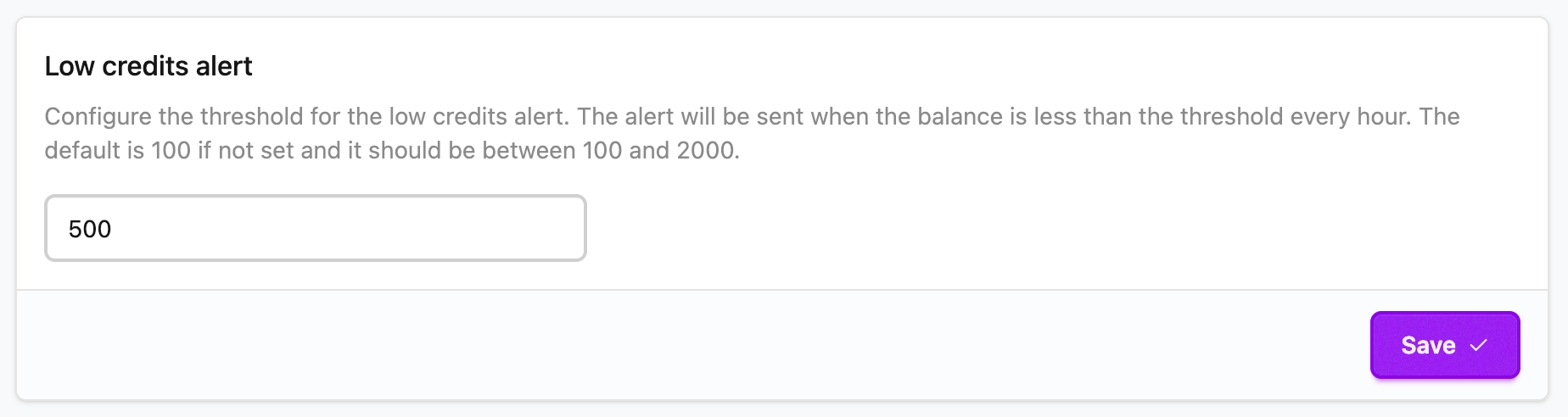
Now you can configure the Low credits threshold. Once your credits fall below this number, all team members will receive email notifications about the low credits. The email will be sent whenever credits are consumed, with at least a one-hour gap between notifications. Configure it from here.
March 28, 2026
Now MiniMax M2.7 and MiMo Pro V2 are available to use on the platform. Find more details here.
March 27, 2026
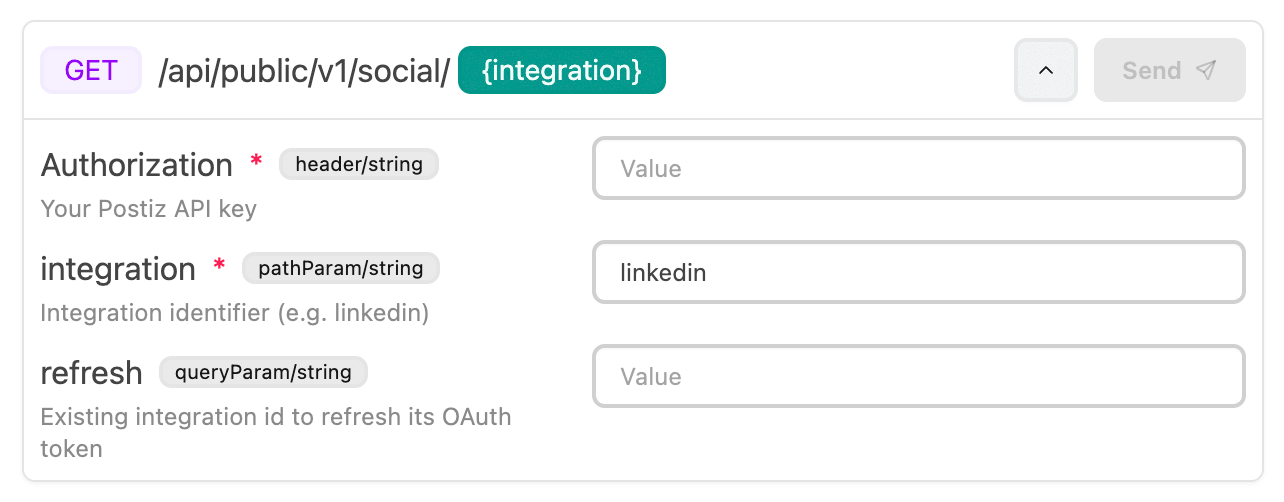
Now you can show an interactive API Playground widget embedded in CrawlChat answers. The AI prefills the information, and users can enter extra details and try the APIs without leaving the chat widget.
It currently supports headers, body payloads, query parameters, and URL parameters. The AI uses the documentation, or knowledge base, to decide the schema and URLs.
You can enable this from the settings page.
March 15, 2026
Now you can view and manage your collections, questions, and most of the things you can view on the dashboard over an MCP server. This lets you integrate your CrawlChat collection information with your AI applications.
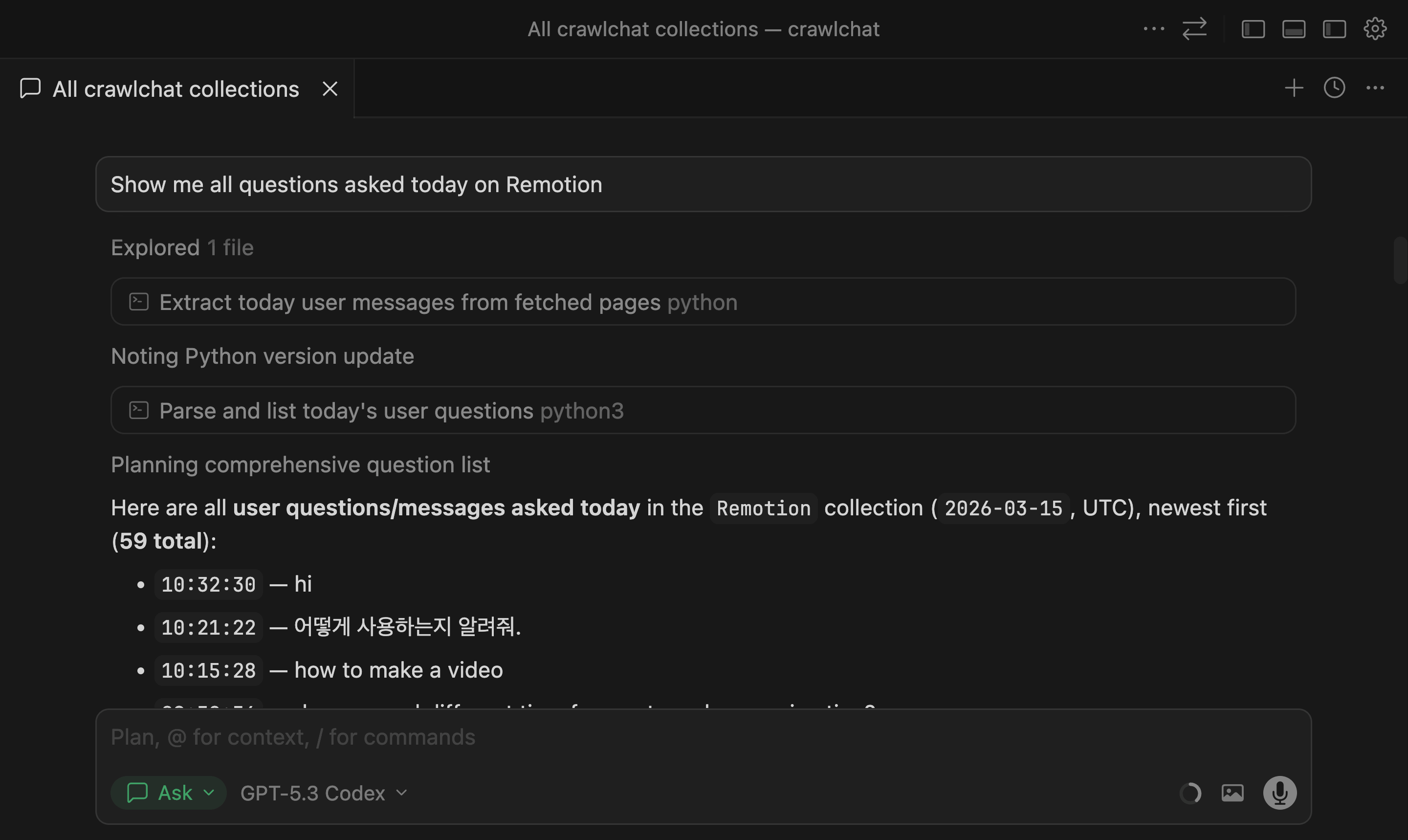
Read the full docs at MCP API docs.
March 10, 2026
The Summary page now includes three additional stats to help track usage and impact:
- Questions per user: average number of questions asked per user
- Avg user lifetime: average time from a user's first question to last question
- Time saved: estimated human hours saved from cited links in answers
Current stats shown on the Summary page:
- Today: questions asked today
- Total: total questions in selected period
- Not helpful: answers rated with thumbs down
- Users: unique users in selected period
- Questions per user: average questions per user
- Avg user lifetime: average days between first and last question
- Time saved: estimated human hours saved
- Happy: percentage of happy-sentiment questions
- Sad: percentage of sad-sentiment questions
- Resolved: questions marked as resolved
March 3, 2026
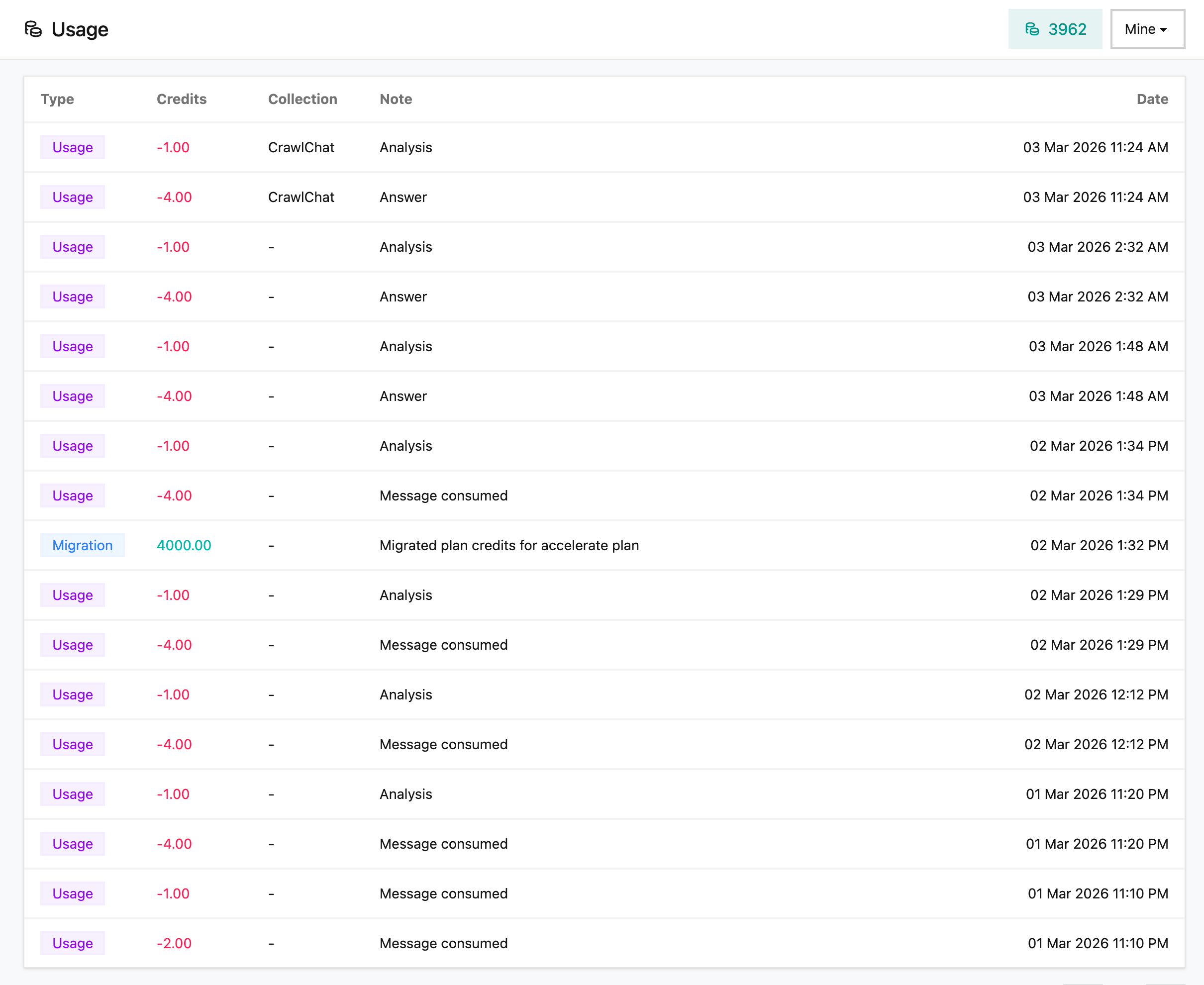
You can now view Message Credits Usage from the Usage page. It shows all credit additions, consumption, and top-ups. This gives a clear picture of how credits are being used in the collection. You can view either the Collection usage or your own usage on this page.
March 1, 2026
February 28, 2026
When your configured AI provider (OpenRouter) fails or times out, CrawlChat now automatically falls back to OpenAI's gpt-4o-mini. It ensures you still get an answer during provider outages, rate limits, or transient errors.
February 21, 2026
You can now ask CrawlChat to answer a message by reaction. This is very helpful when someone asks a question and you know that the CrawlChat bot can answer it.
- React with 💬 to a message
- The bot picks up that message as the prompt and replies in context
- This makes quick follow-ups easier in busy channels and threads
- Works on both Slack and Discord
February 19, 2026
Added Short Questions to make question summaries easier to scan at a glance, especially when conversations include multiple languages.
This helps you quickly understand what a user is asking, even if the original question is in another language:
- get a compact summary without reading a long full message
- identify intent faster when triaging questions
- review multilingual conversations more efficiently
- reduce back-and-forth
February 16, 2026
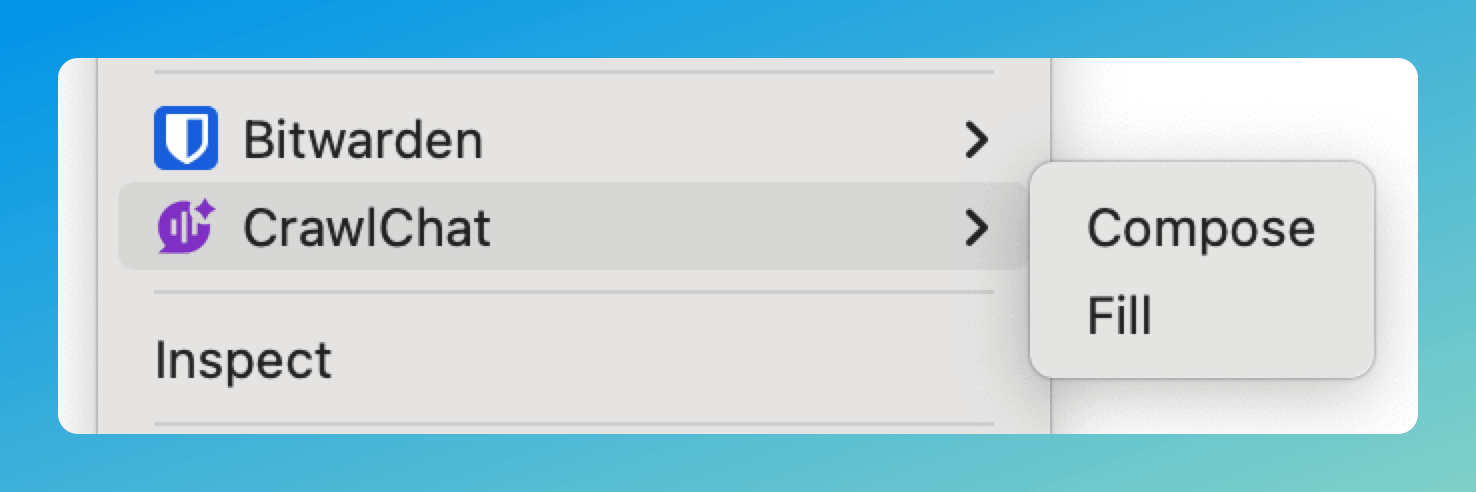
The Chrome Extension now supports a context menu for composing and filling text. Right-click on any text field to access CrawlChat directly — no need to use the sticky button or keyboard shortcuts.
- Click on any text field
- Give the instruction to compose. Ex:
write about installation under 50 words - Right click on the text field
- Go to CrawlChat
- Select Compose to generate and review before inserting
- Select Fill for instant replacement
February 13, 2026
You can now choose whether to show the logo on the Ask AI button you embed on your site. When enabled, the button displays the chat bubble icon above the "Ask AI" text. Toggle Show logo in the Customize widget section.
February 9, 2026
⚠️ Discontinued
Added a new Skill Maker tool to help you create skill.md files optimized for LLM understanding. This tool is similar to Compose but specialized for generating Skills that follow best practices for Claude and other LLMs.
The Skill Maker tool:
- Automatically formats titles as
SKILL_{name}.md(e.g.,SKILL_processing-pdfs.md) - Guides the AI to create clean, well-structured markdown following Skill authoring best practices
- Ensures single skill per file - creates one skill definition, not multiple
- Includes YAML frontmatter with proper name and description fields
- Download functionality - save your skill as a
.mdfile with the title as filename
You can access Skill Maker from the Tools menu in your dashboard. It uses your knowledge base to generate comprehensive skill documentation that's concise, properly structured, and optimized for LLM consumption.
⚠️ Discontinued
February 7, 2026
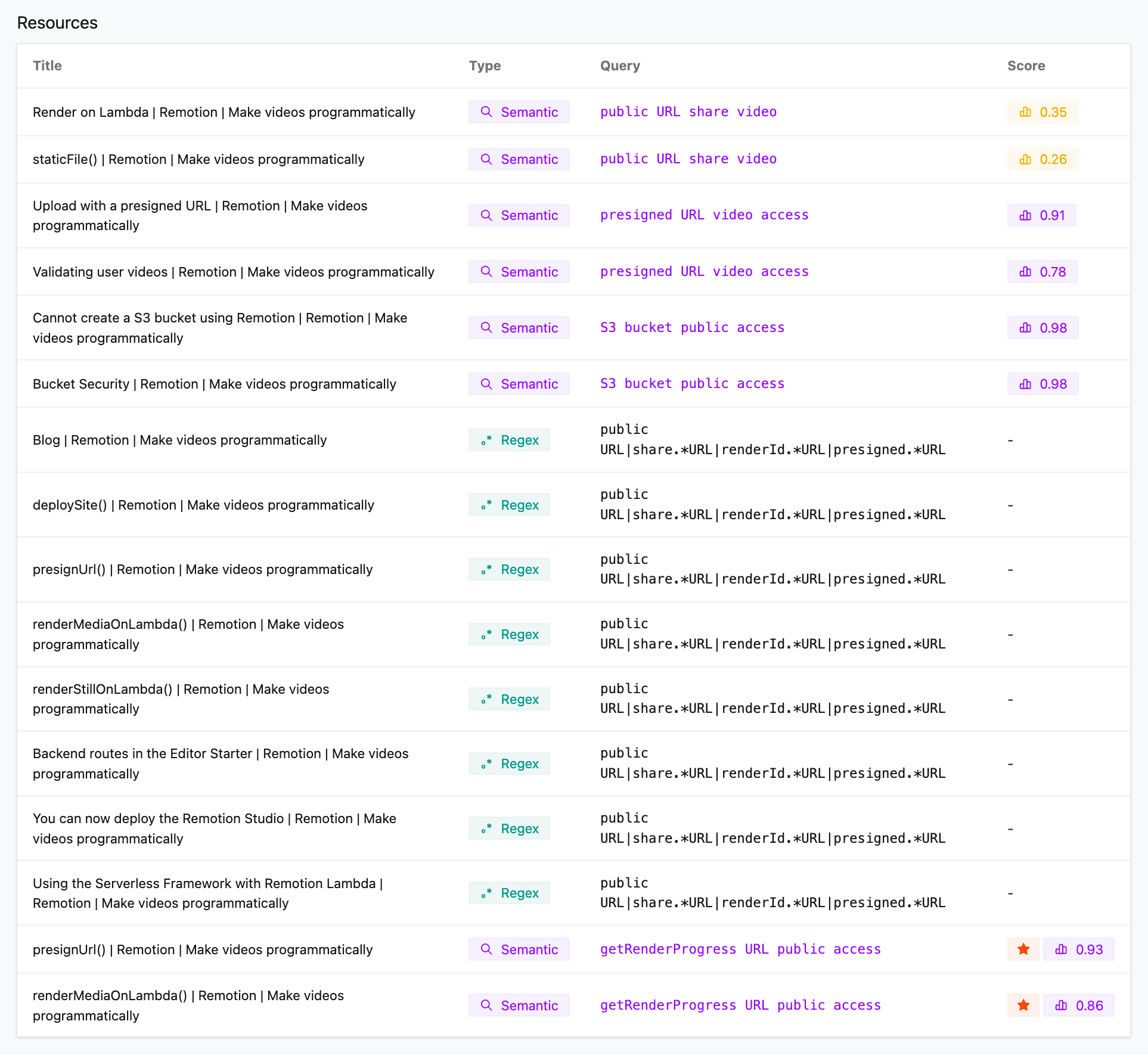
The answer flow now includes text search tools as a fallback when semantic search does not return enough. These tools help the AI find nuanced details and are better suited for code and precise references.
Semantic search matches by meaning and context—great for conceptual questions but it can miss exact wording, API names, or code patterns. Phrase search looks for a literal phrase and returns scored snippets. Regex search matches using a regular expression so the AI can target specific patterns: function or method names, URL shapes (e.g. presigned.*URL), code snippets, or exact syntax that semantic search would not reliably hit.
Regex matches are pattern-based and precise—they either match or they do not—so the AI can narrow in on exact strings, variable names, and code structures that matter for technical answers. Together with semantic search, the AI can first find the right area with meaning-based search, then use phrase or regex search to pull out the precise detail needed for code or API usage.
February 3, 2026
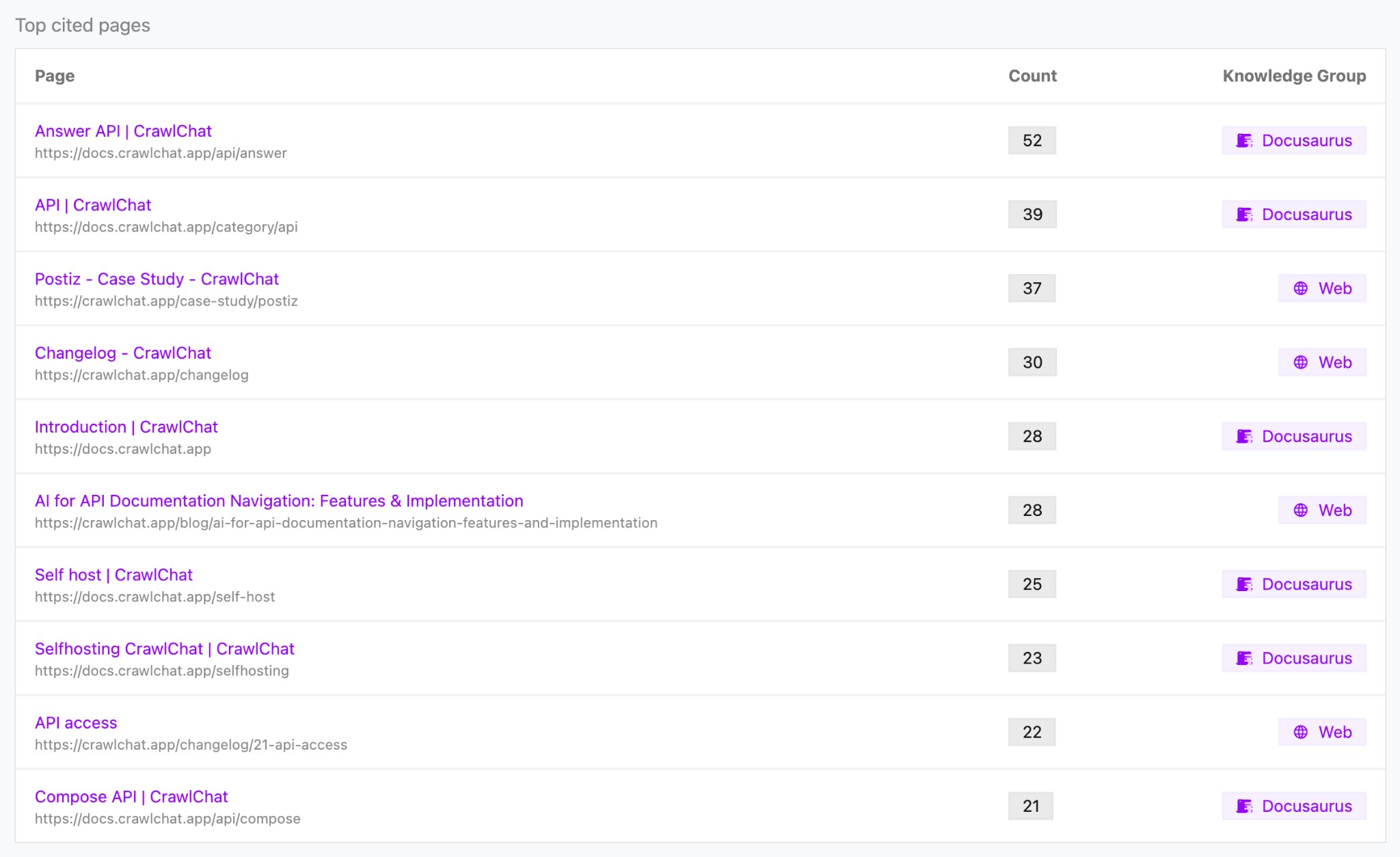
The Summary page now includes a Top cited pages section that shows which knowledge pages were cited most often in answers over the last two weeks.
- See citation count per page
- Jump to each page in the knowledge base
- View the associated knowledge group for each entry
This helps you identify your most useful documentation and prioritize content that drives answers.
January 30, 2026
Your users can now turn any conversation into a shareable group chat so multiple people can collaborate in the same thread.
- Create a group conversation directly from the chat widget
- Share a single link with your team
January 28, 2026
CrawlChat now automatically detects and tracks the language of each question asked by your users. This helps you understand your audience better and identify which languages your documentation might need to support.
- Language is automatically detected for every question
- View the detected language on each question's detail page
- See a breakdown of all languages used in a pie chart on the Summary page
- Identify opportunities to add documentation in other languages based on user demand
January 24, 2026
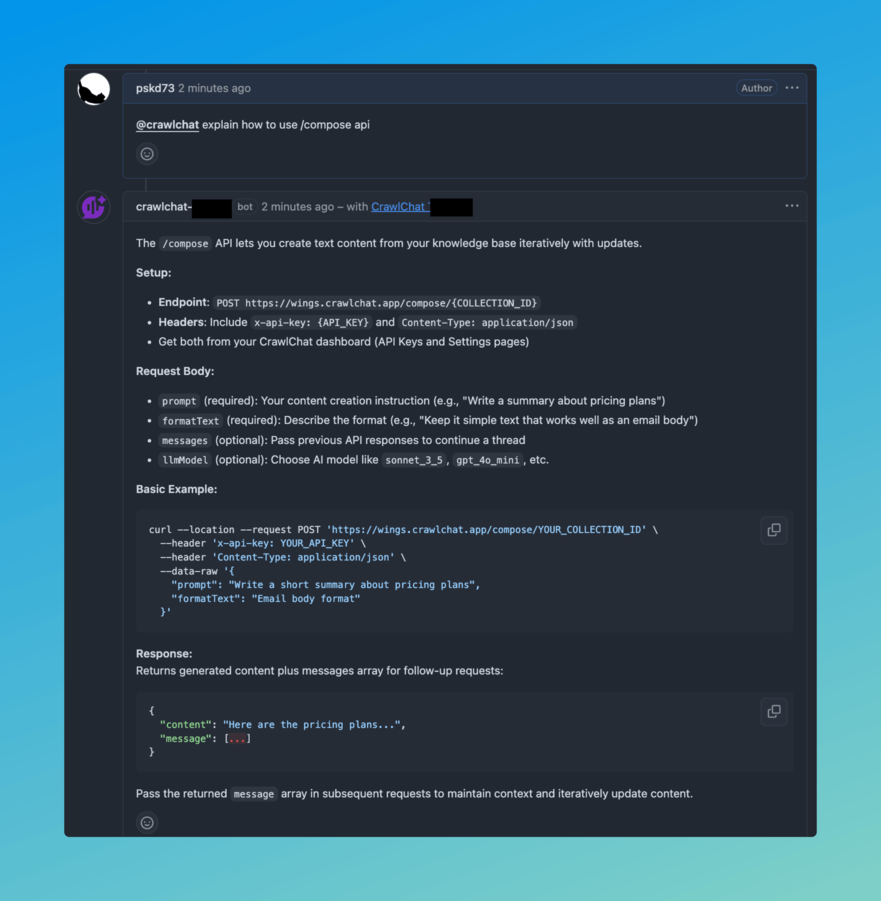
You can now integrate CrawlChat with GitHub to automatically answer questions on GitHub Discussions and Issues. The bot will respond to mentions or when it has high-confidence answers based on your knowledge base.
- Install the GitHub App from here
- Configure your repository in the CrawlChat dashboard under Integrate → GitHub app
- Tag
@crawlchatin discussions or issues to get answers - The bot automatically responds to questions where it has high confidence answers
January 23, 2026
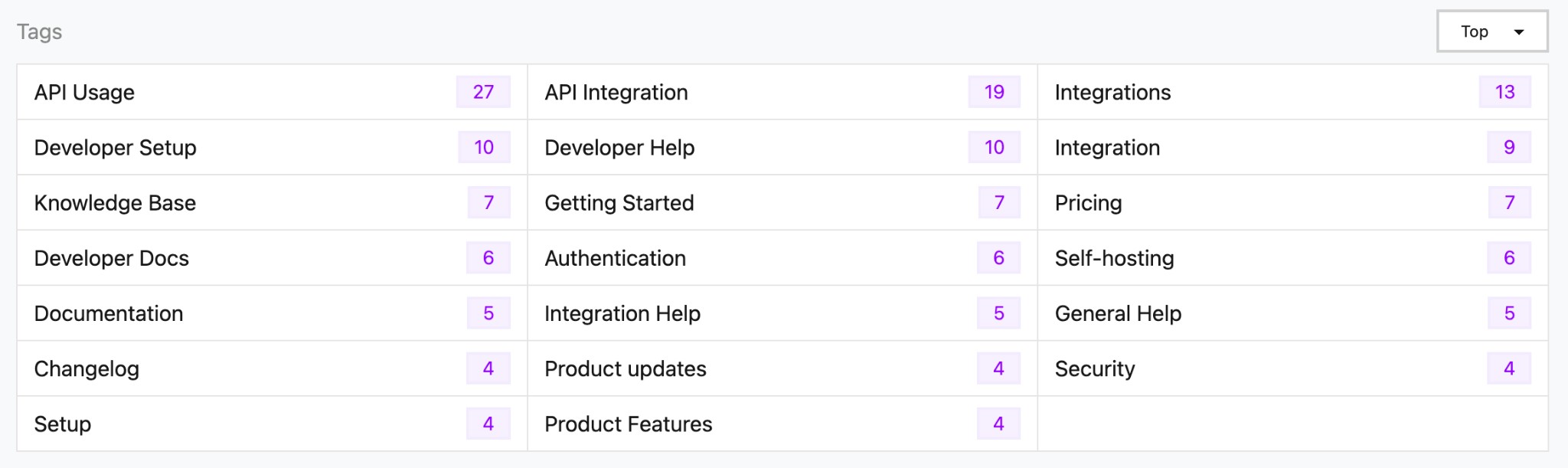
Tags are now automatically generated from your conversations and displayed on the summary page. They help you identify common topics and patterns in user questions.
The tags section shows:
- Tag name - The category or topic identified from conversations
- Count - How many times this tag has appeared
- Sorting options - View tags by "Top" (most frequent) or "Latest" (most recent)
Tags are derived from category suggestions that are automatically generated when analyzing messages, making it easier to understand what topics your users are asking about most frequently.
January 20, 2026
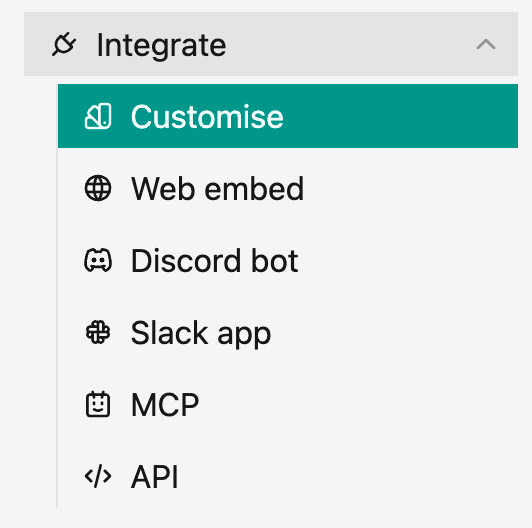
We've improved the navigation for integration options in the side menu. All integration methods are now organized under a single Integrate menu item, making it easier to find and access different ways to connect your knowledge base.
The Integrate menu includes:
- Customize - Customize your integration appearance and behavior
- Web embed - Embed the chat widget on your website
- Discord bot - Connect your knowledge base to Discord
- Slack app - Integrate with your Slack workspace
- MCP - Model Context Protocol server integration
- API - Use the answering engine through the API
This new structure provides a cleaner, more organized way to access all integration options from one place in the side menu.
January 15, 2026
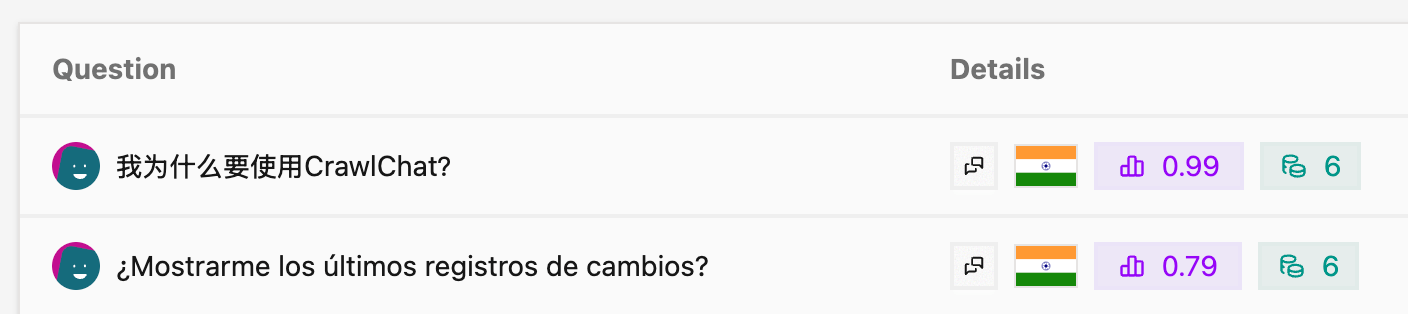
We added avatars to the Conversations and Threads tables to help you identify and track questions asked by users over time. This feature makes it easier to see who asked which questions and follow user interactions throughout your conversations.
It works on all the channels.
January 15, 2026
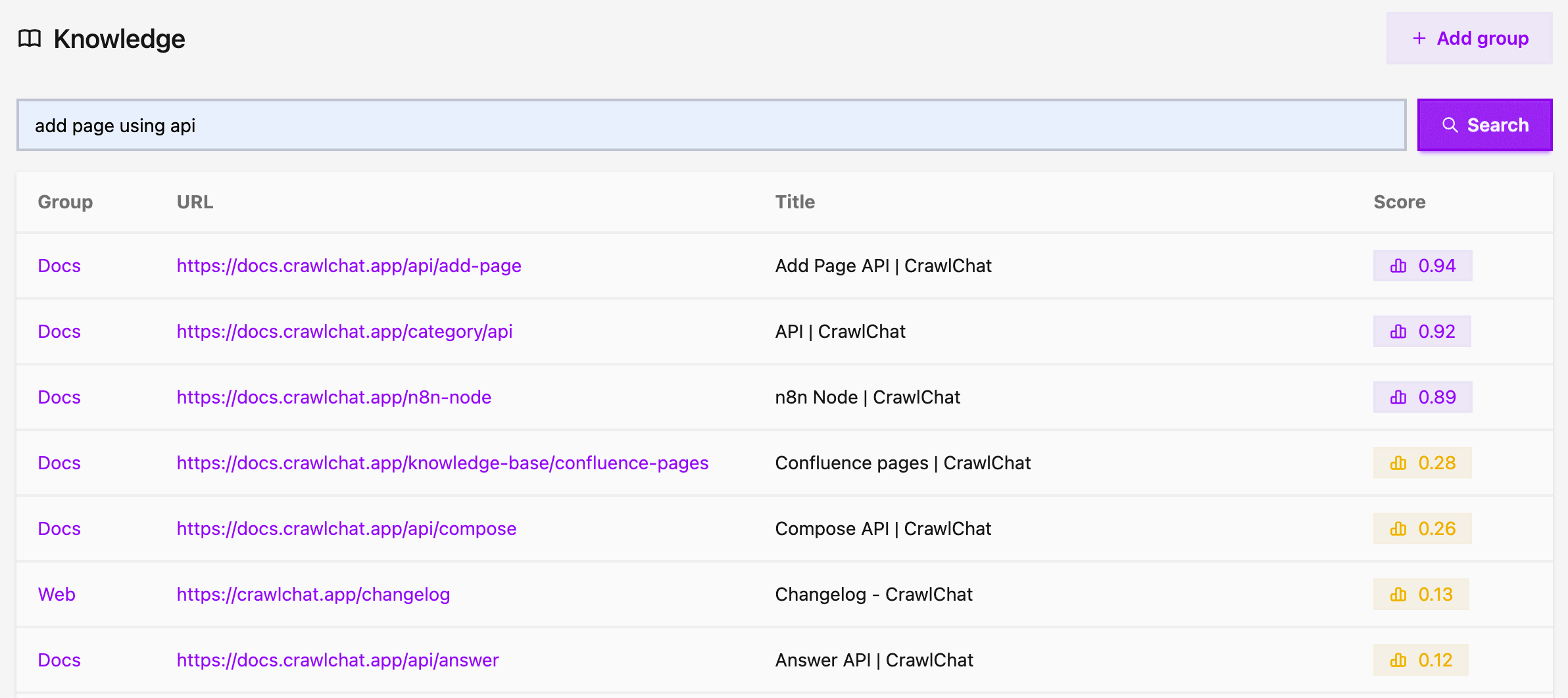
You can now search your knowledge base directly from the Knowledge page. Simply enter any query to find relevant pages across all your knowledge groups. This helps you debug pages against search queries and fine-tune your documentation pages. You can also pass the page URL to quickly navigate to it.
The search results display:
- Group - The knowledge group the page belongs to
- URL - Direct link to the page
- Title - The page title
- Score - Relevance score showing how well the page matches your query
All results are clickable, making it easy to navigate to the exact page you're looking for. Higher relevance scores are highlighted to help you find the most relevant content quickly.
January 8, 2026
You can now add your GitHub Discussions as a knowledge base instantly. Pick GH Discussions as the group type while creating the knowledge group.
- Enter the GitHub
repoURL - Once created, you can select whether only
Answereddiscussions should be fetched
December 23, 2025
You can now pass clientUserId in the Answer API request body. This value will be used as the fingerprint when saving messages, allowing you to track and identify messages from specific client users.
December 17, 2025
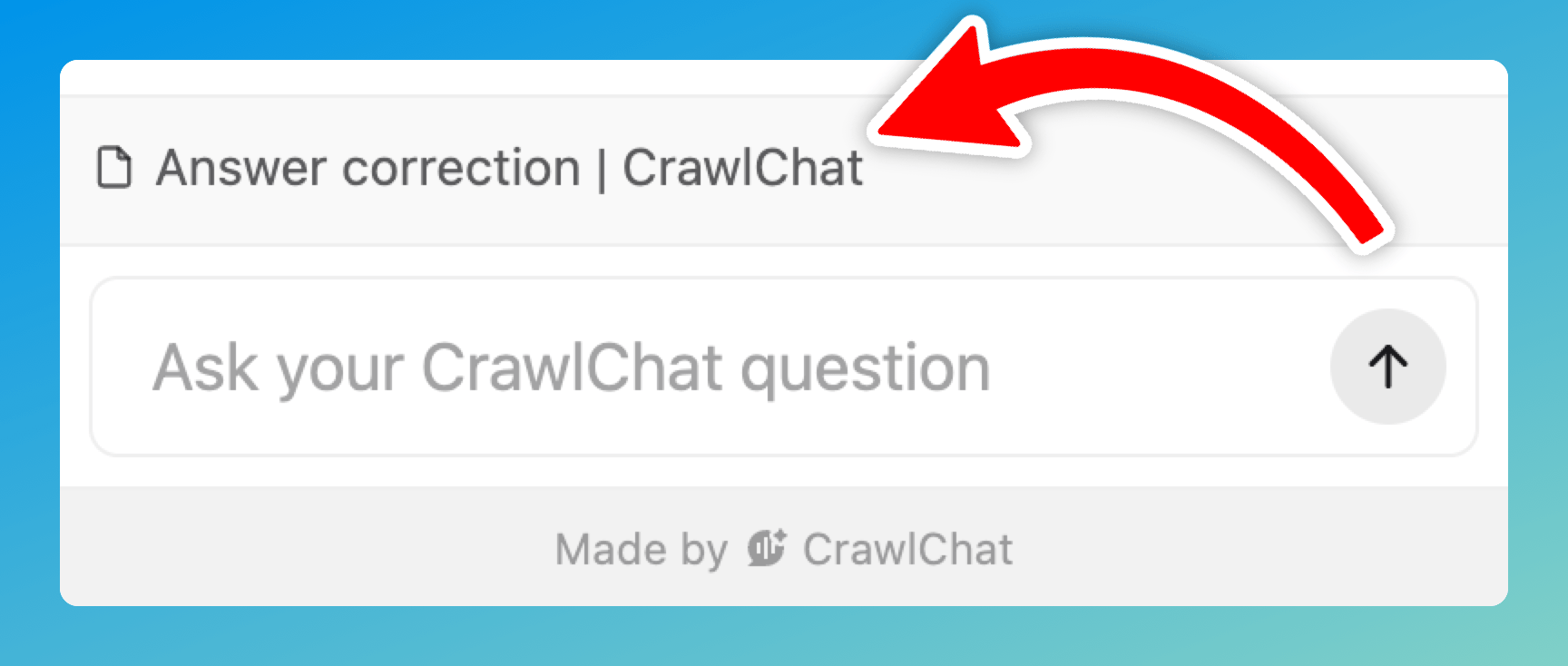
You can now enable Current page context for your widget. When enabled, the widget includes the current page (URL, content and title) as part of the conversation context so answers can be more relevant to what the user is looking at.
For this to work, the page should be part of the knowledge base already.
December 2, 2025
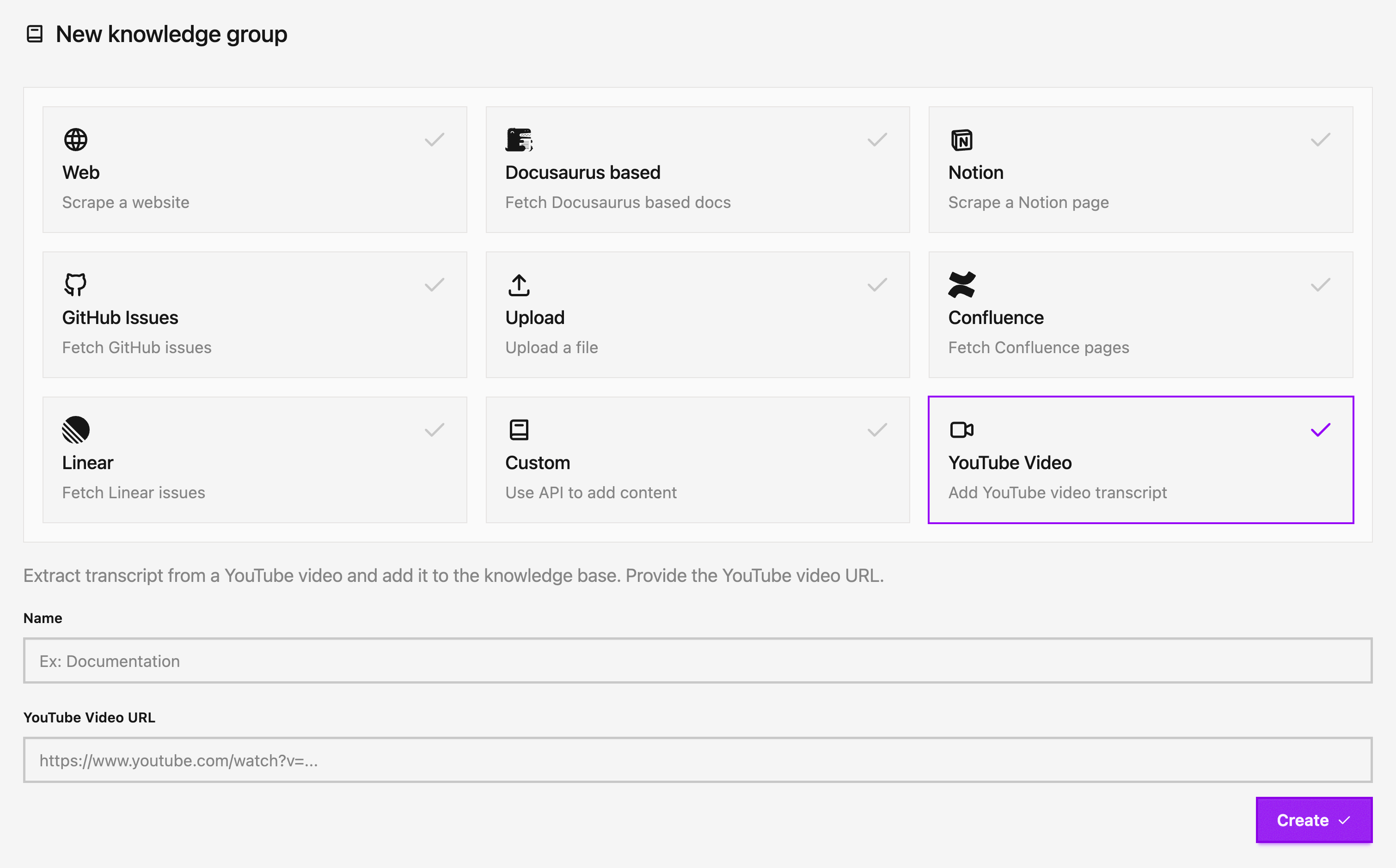
Now you can add YouTube videos and channels as a knowledge source! Simply provide a YouTube video URL or channel URL (including channel ID or handle like @channelname) and the app will automatically extract the transcript and add it to your knowledge base. This makes it easy to include video content, tutorials, and educational content in your knowledge base.
The feature extracts transcripts from YouTube videos that have captions enabled, making video content searchable and accessible through your AI agent. You can add individual videos or entire channels, and the app will automatically fetch and process all videos from a channel.
November 13, 2025
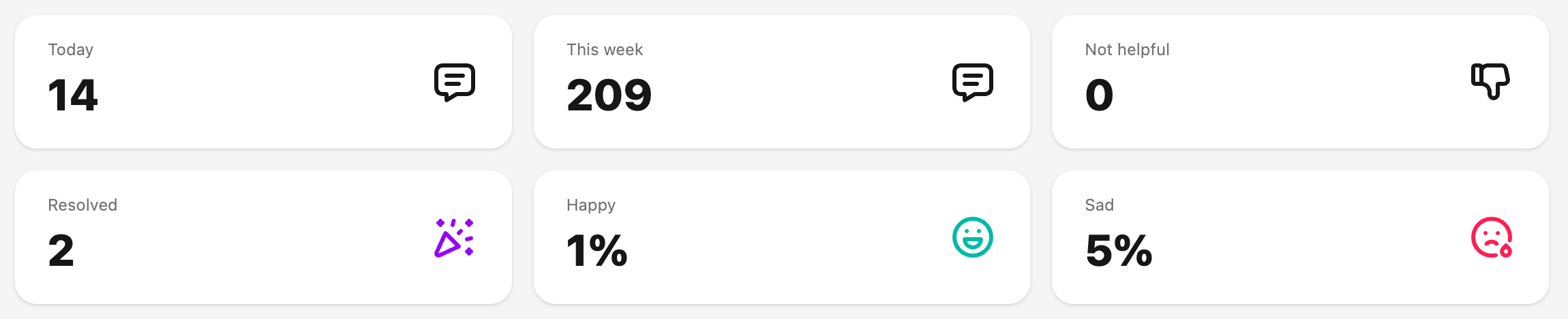
The app now does sentiment analysis on every question and tags it as either Happy or Sad. The metrics are shown on the Summary page as percentages. They are also shown on the questions page, question detail page, and conversations pages wherever applicable.
October 28, 2025
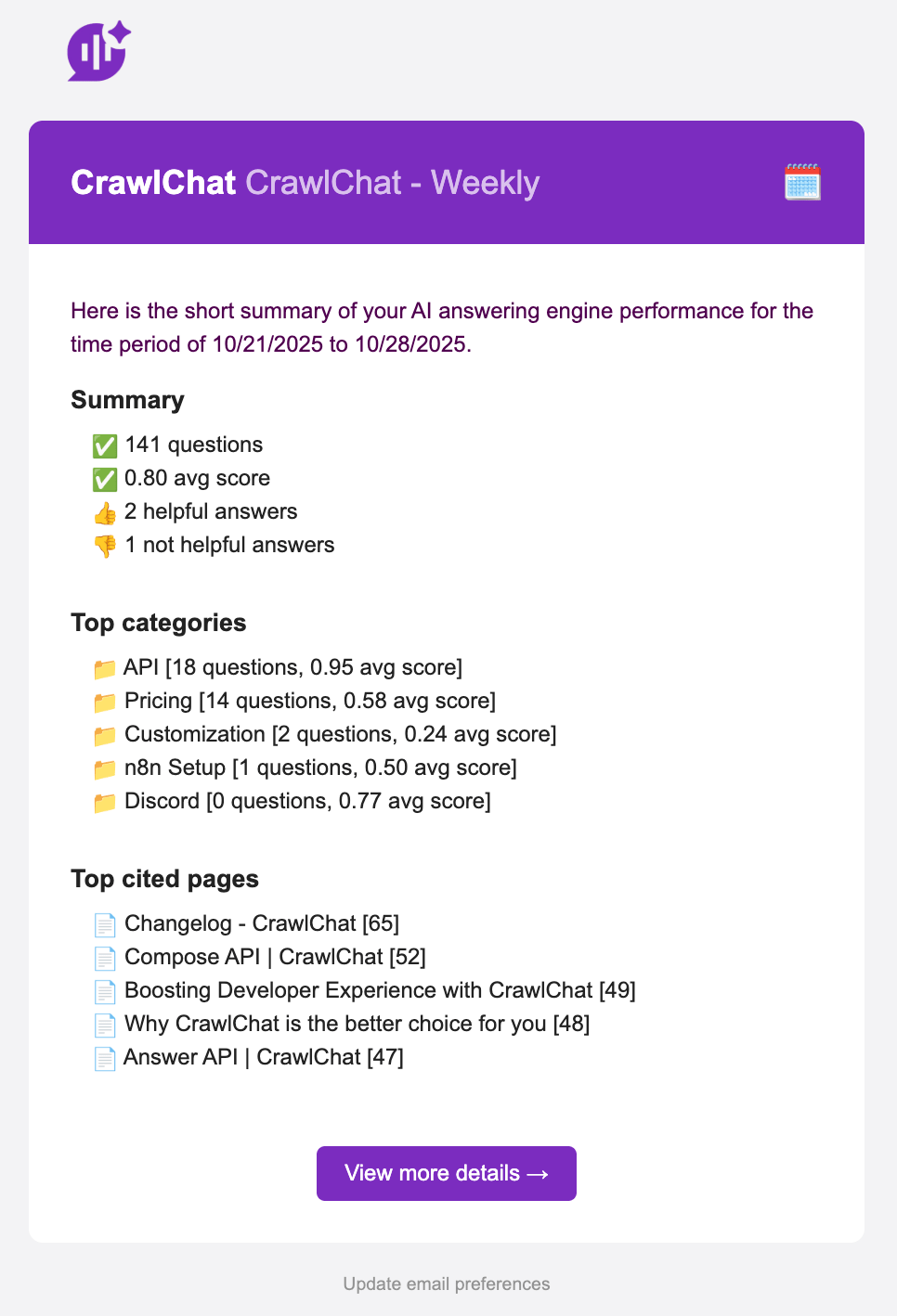
Now the app sends out weekly update email on Friday. This email gives you a brief overview of how the answering engine performed in the last 7 days. It contains important information such as
- Questions & average scores
- Category breakdown
- Top cited pages
October 24, 2025
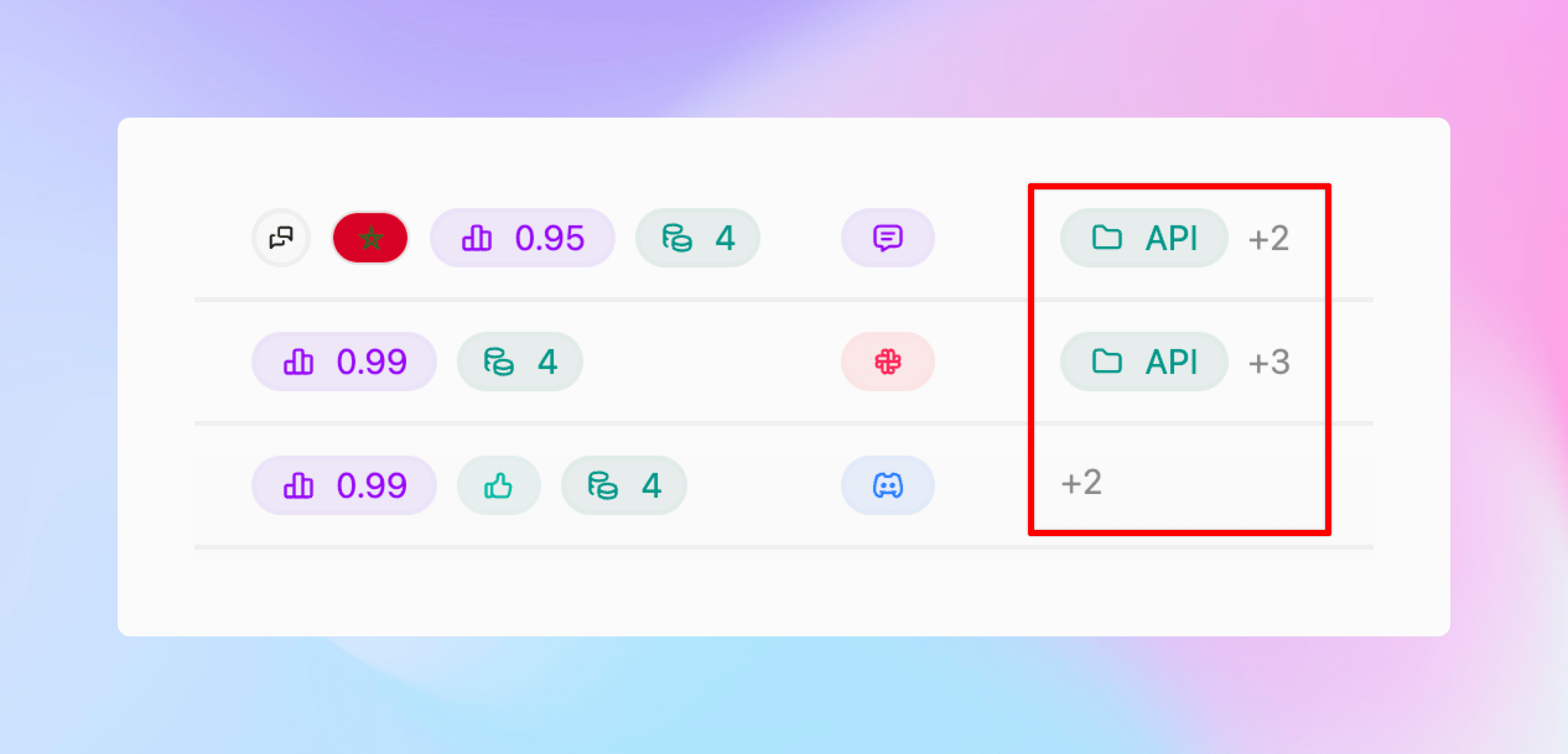
Now you can create Categories for the questions being asked and group them for better analytics. You can configure it as described below:
- You can create Categories from Settings
- Give the category a name and description
- CrawlChat will start tagging the category accordingly
- You can see it on Home page and Messages page
- The app also suggests new categories for each message, and you can instantly add them
- Deleting a category will stop tagging further

October 21, 2025
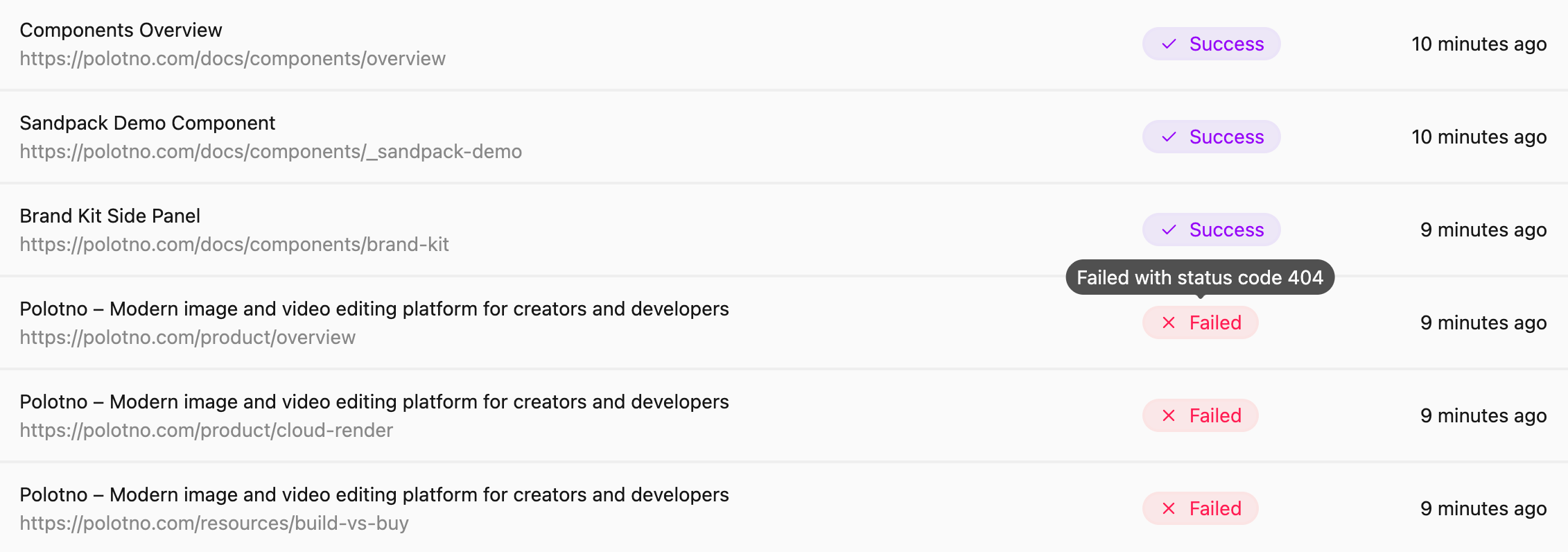
Made the following improvements to the web scraping functionality for a better user experience:
- Fixed a few bugs with handling relative URLs
- Handle non-200 status code pages and show relevant error messages
- UI changes to show full URLs
October 18, 2025
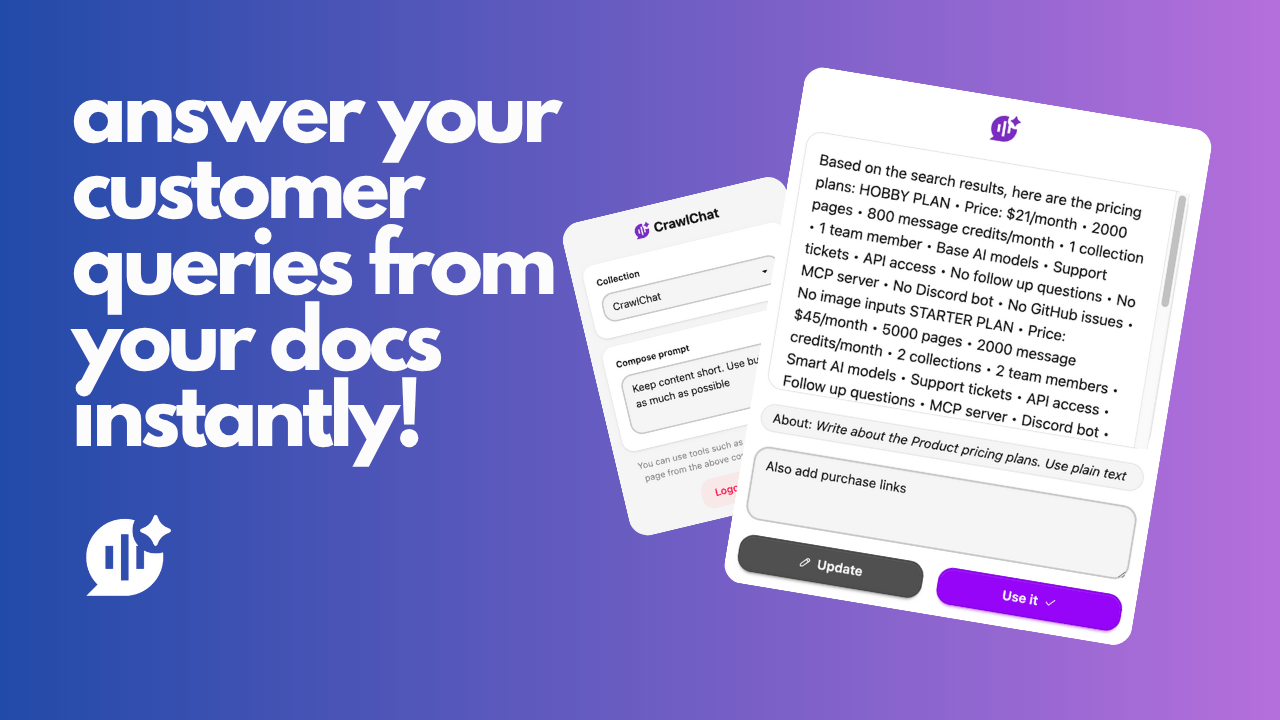
Released a Chrome Extension for CrawlChat. You can use this tool to quickly compose text from your knowledge base for different purposes and fill forms instantly on any web page. This is helpful for customer support teams composing answers for support tickets, queries, DMs, emails, and more. It also helps product teams fill forms for FAQs, product specifications, and similar content.
Read more about it here
October 9, 2025
API access to CrawlChat is out now. You can integrate CrawlChat with your application. To start, the /answer API is now public. You can use this API to get an answer from your knowledge base for any query, just like you get in the chat widget. Check the docs for more information.
October 1, 2025
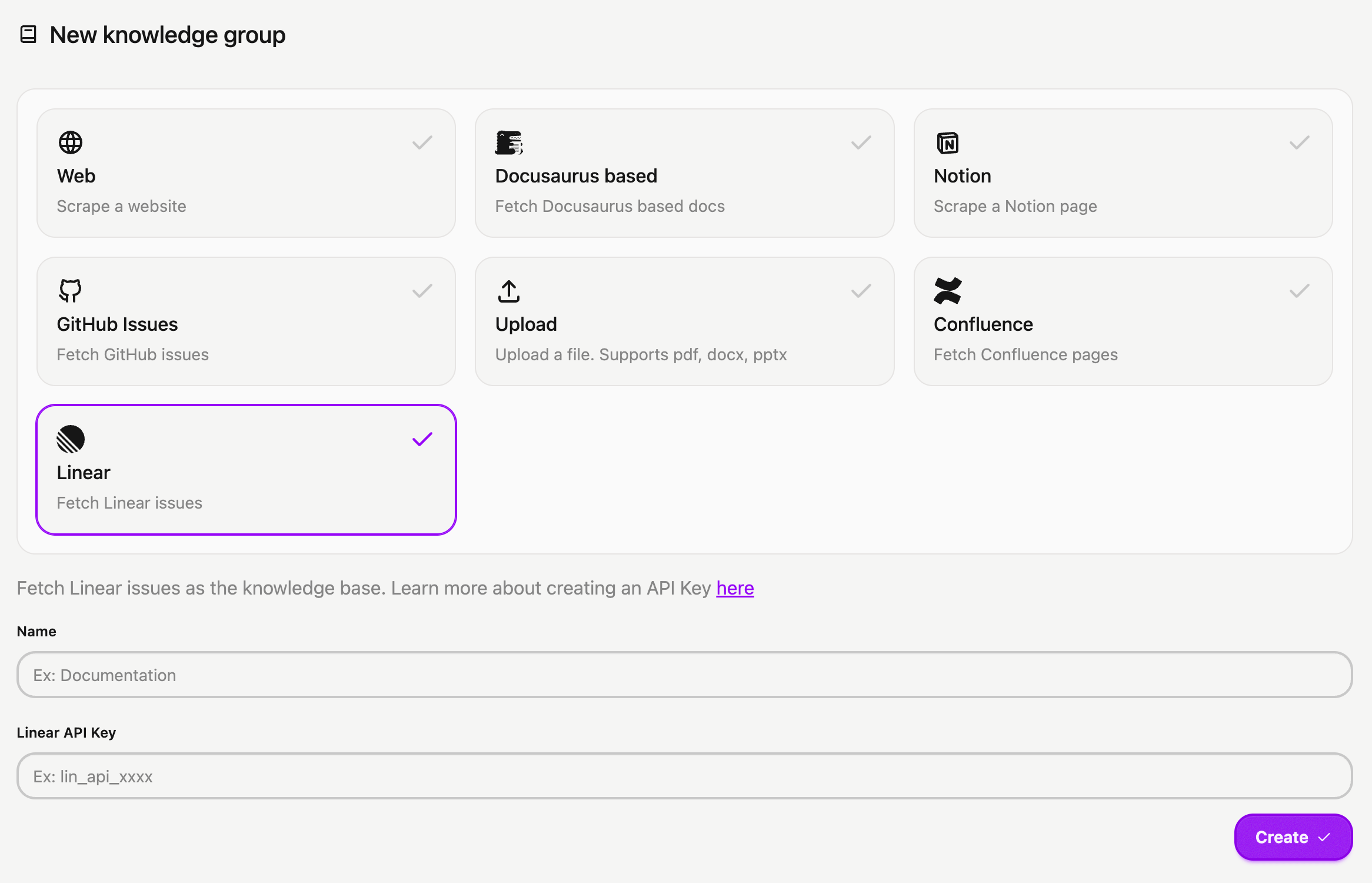
You can now connect your Linear issues and projects to CrawlChat as a source instantly. The setup process is simple:
- Log in to your Linear account
- Navigate to Settings > Security & access
- Click New token under Personal API keys
- Name your key (e.g., CrawlChat) and select Only select permissions
- Tick the Read box and choose All teams you can access
- Click Create and copy your API Key
- Head to the New Group page to import your Linear issues into CrawlChat, providing the API token you generated
- Activate auto-update for regularly syncing the latest 250 issues/projects
- Configure statuses to skip irrelevant issues to maintain a clean knowledge base.
September 28, 2025
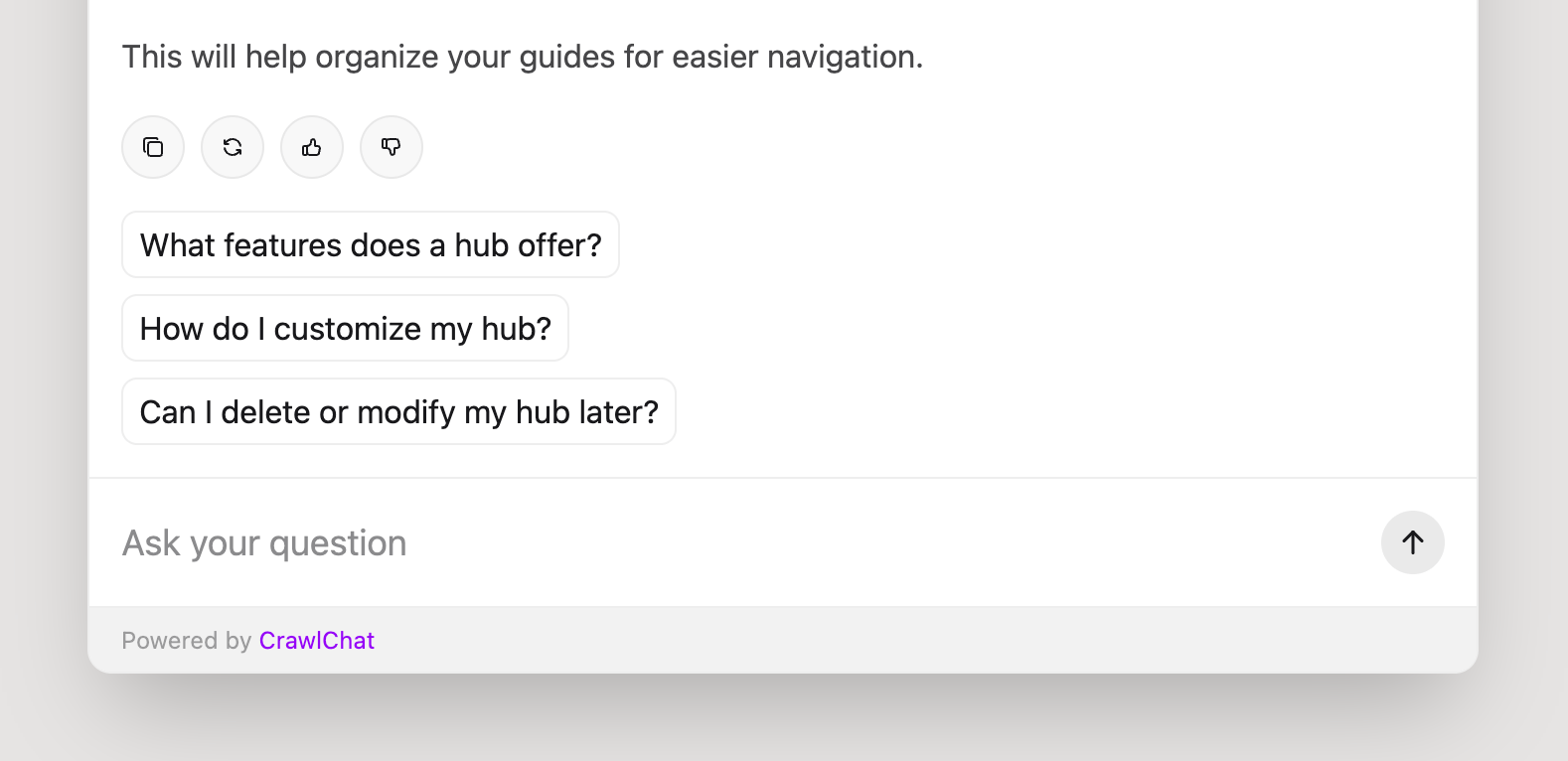
The web chat widget now shows follow-up questions under the latest answer. It generates a maximum of three follow-up questions based on recent relevant questions, the conversation itself, and the latest messages.
If the support tickets module is enabled, it also shows an I want to create a support ticket follow-up question so users can intuitively create support tickets on demand.
This feature is available only for paid customers currently.
September 24, 2025
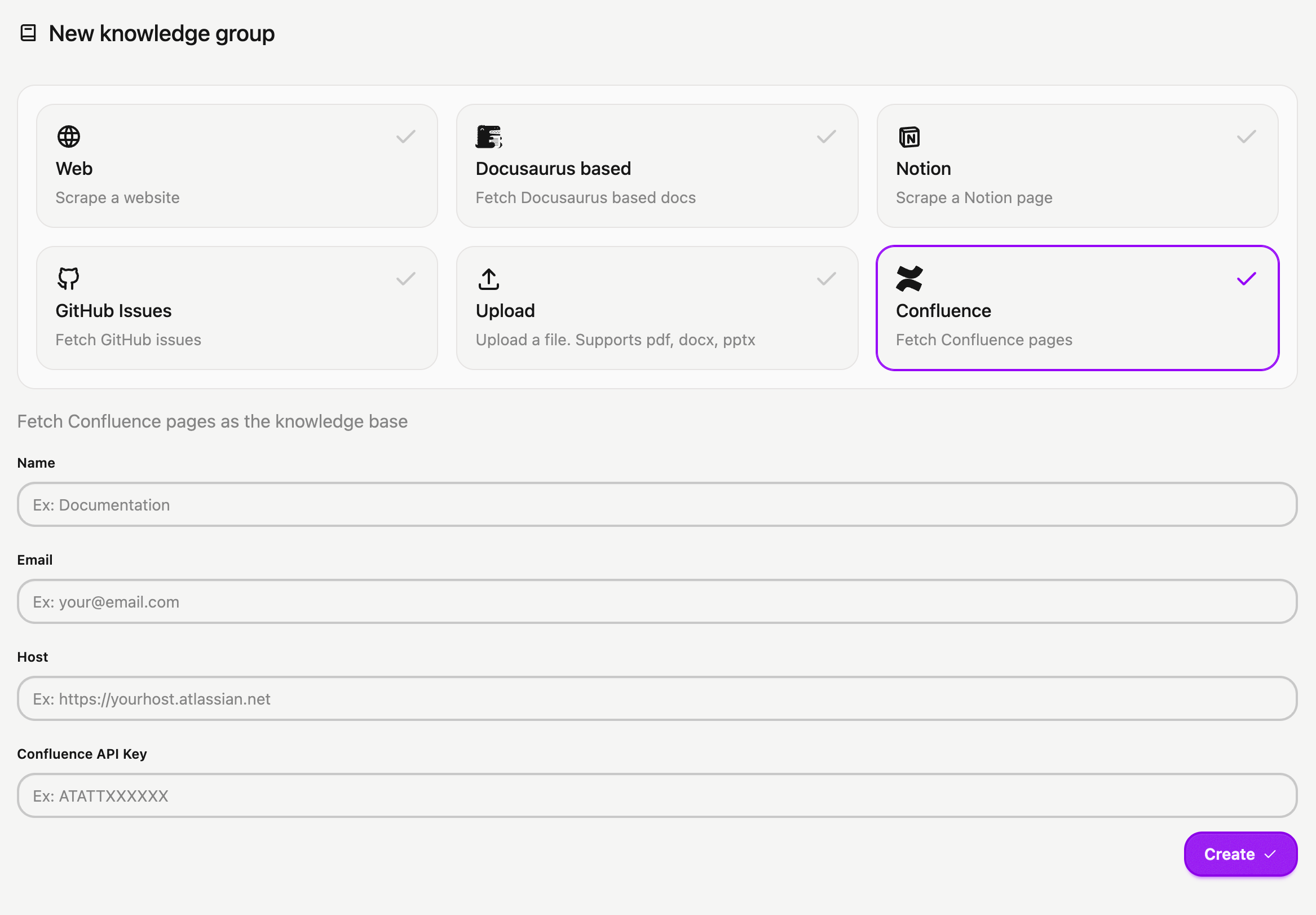
You can now connect your Confluence pages to CrawlChat as a source instantly. The setup process is simple:
- Create an API key from the Confluence dashboard
- Go to New Group page
- Select Confluence type
- Enter your Email, Host URL, and the API Key you generated
- Create the knowledge group
- Select pages to exclude (if any)
- Fetch the pages
- You can also set up an Auto Update frequency to keep it in sync with the source pages
September 21, 2025
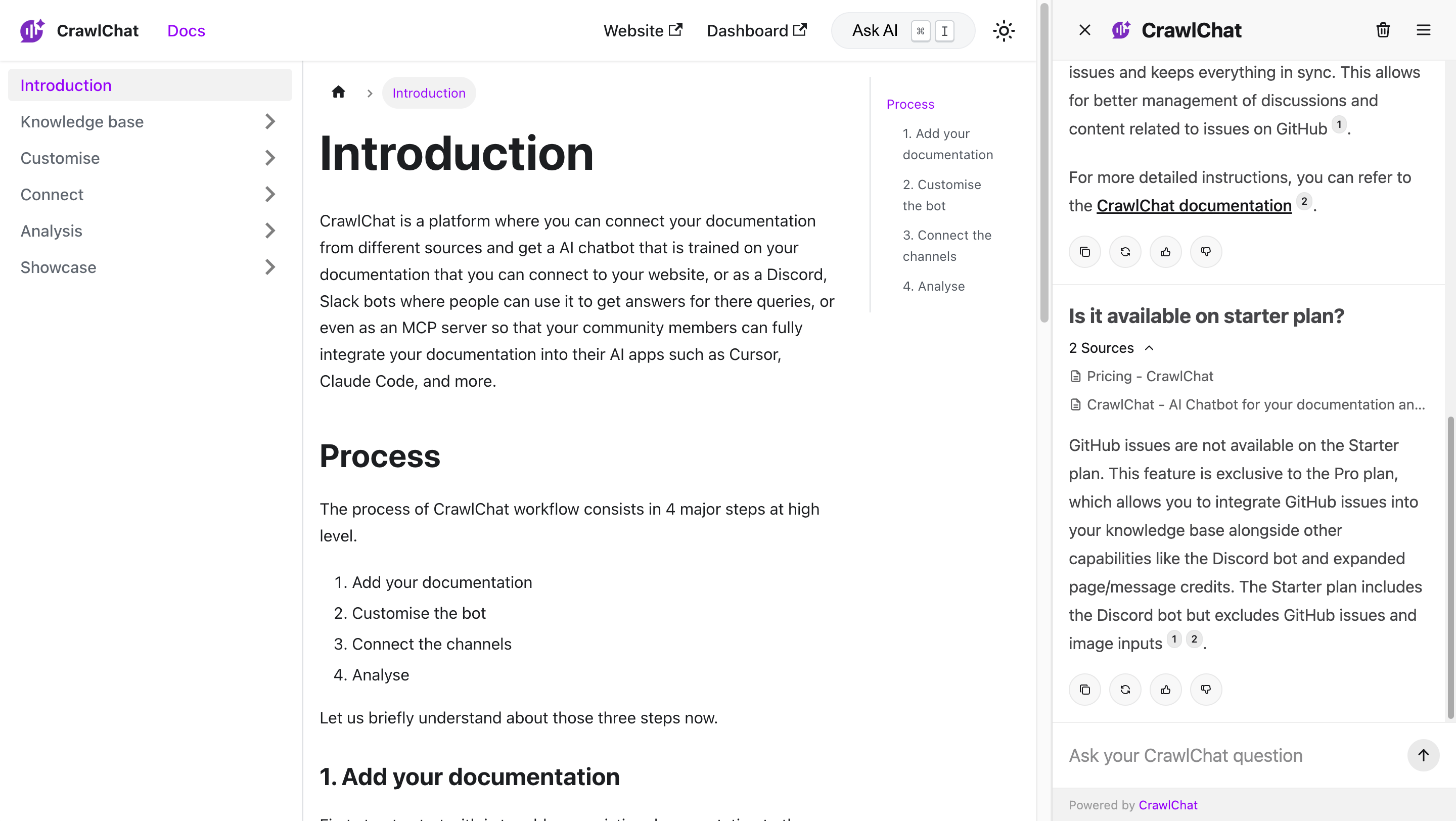
You can now embed the Ask AI widget as a side panel on your Docusaurus website instead of using the regular popup. This makes the documentation browsing experience much better for the following reasons:
- Non-blocking experience. Users can browse the docs and ask AI on the side.
- Client-side source link navigation. There is no full-page reload, so the experience is smoother.
- Shortcut to open and close the side panel.
Read about setting it up here.
September 9, 2025
The Discord bot now supports images as attachments. Users can add screenshots or images to a message and ask questions. The bot can read the images and use the knowledge base to answer the queries.
You need to enable this option from the Discord settings page, and it is currently available only on the Pro plan. You also need to select an AI model that supports image inputs for it to work.
September 5, 2025
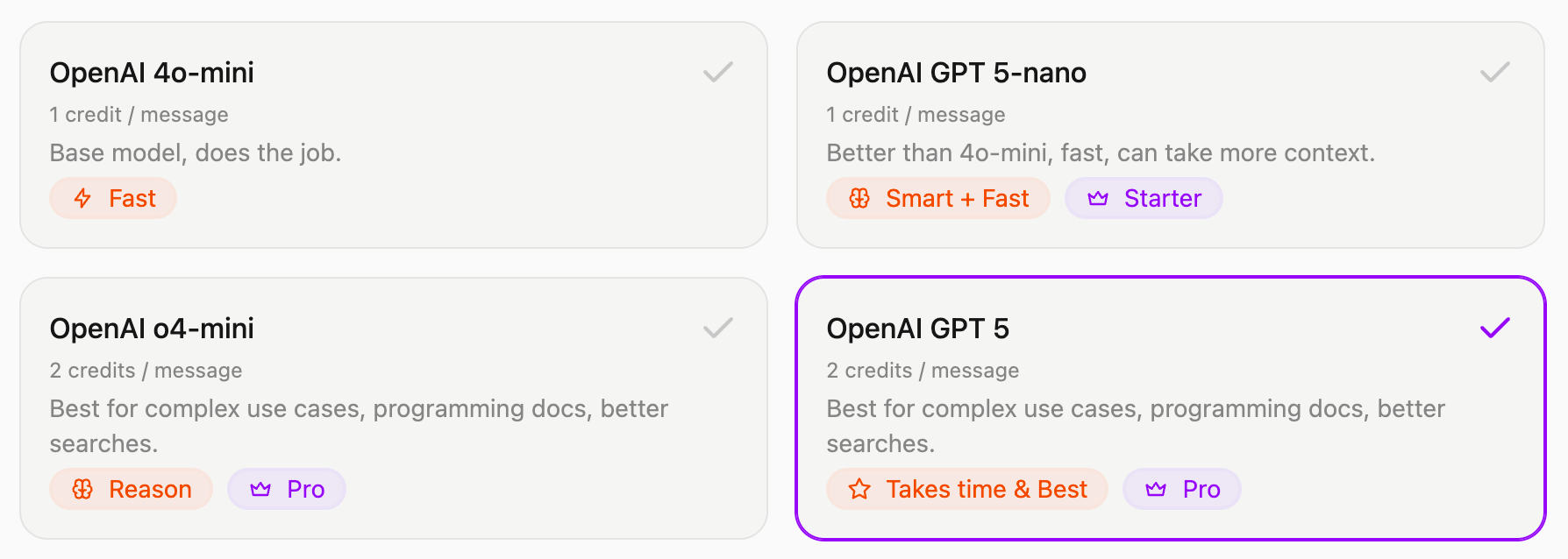
Added two new AI models from OpenAI's GPT 5 family.
- GPT 5-nano: Uses 1 credit, fast yet smart
- GPT 5: Uses 2 credits, takes time yet best in class
August 28, 2025
Released two features to manage the Discord bot so channels stay clutter-free.
-
You can configure the Discord bot to reply to messages in threads. This keeps conversations neatly grouped, makes threads easier for users to follow, and keeps the main channel clutter-free.
-
You can now set which channels the bot should listen on. If configured, the bot will not reply when someone tags it from other channels. This is useful for making sure the community uses the bot only in designated channels.
You can configure these items from the Discord settings page on your dashboard.
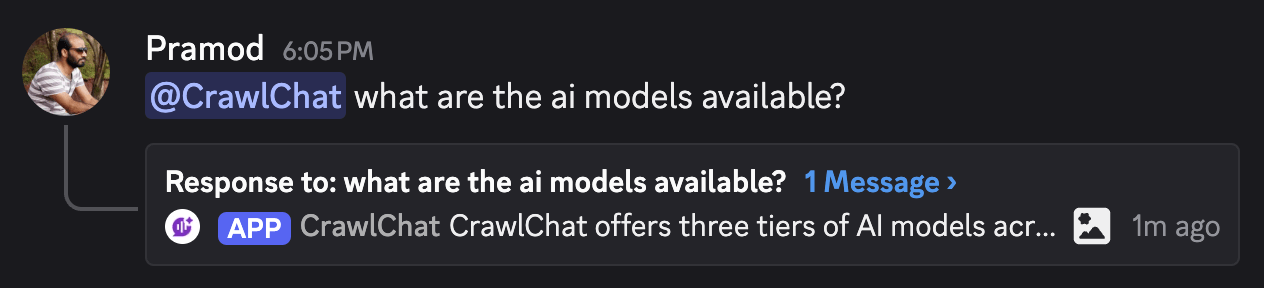
August 22, 2025
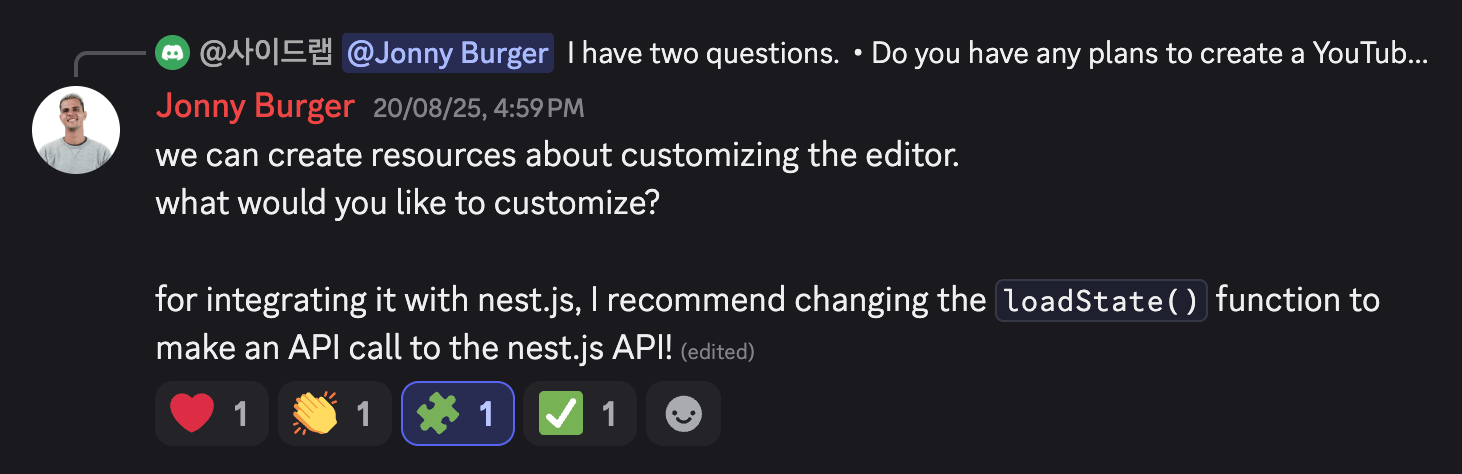
You no longer have to tag the bot and send the message learn to make the bot learn from a conversation in Slack or Discord. Instead, you can react with 🧩 on the message you want it to learn from. It also adds a ✅ reaction to confirm that it successfully learned the message.
It fetches the replies or thread conversation and adds them to the knowledge base so it can use them in future answers. This helps keep the chat space cleaner and clutter-free.
August 19, 2025
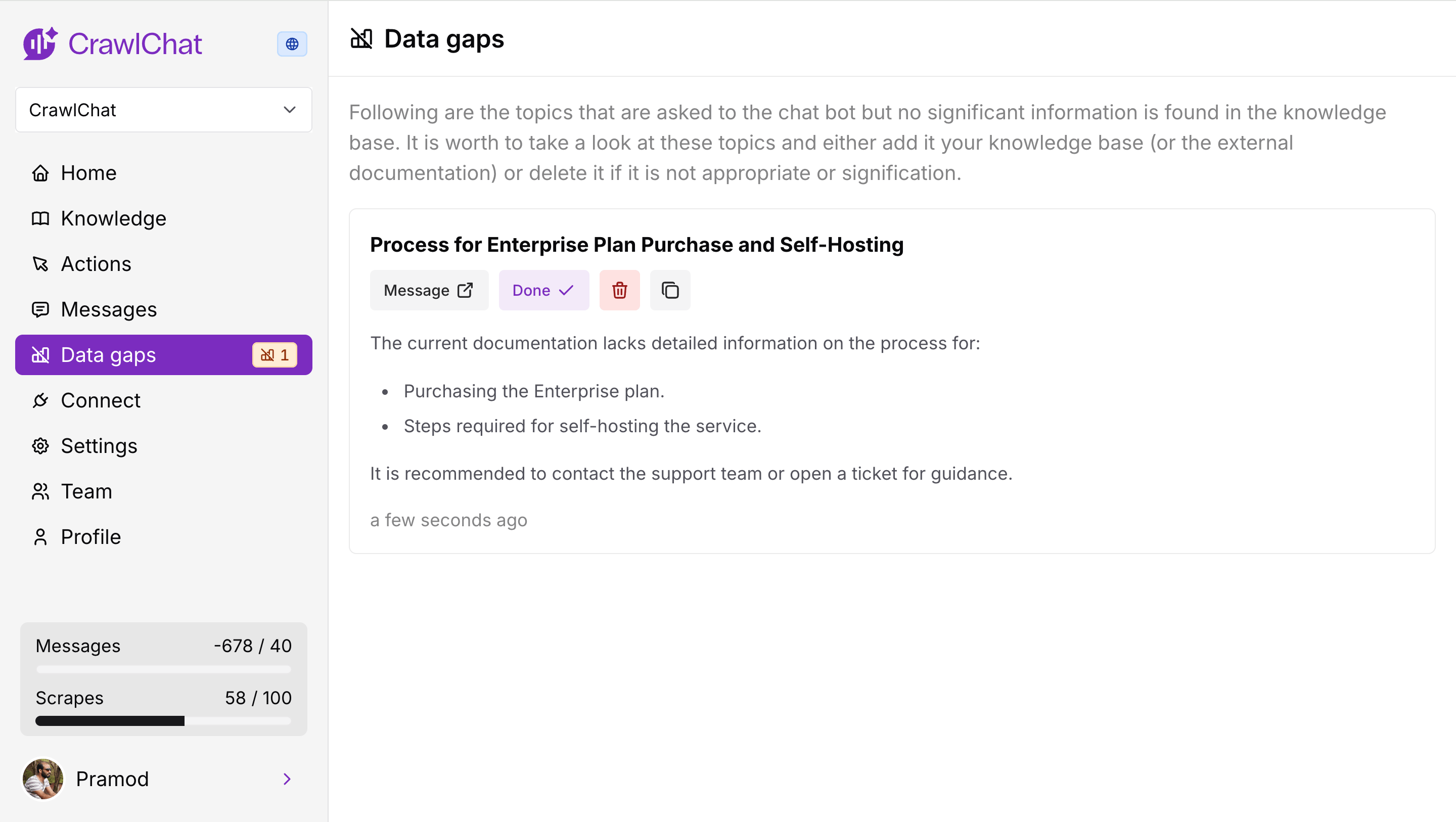
The bot now analyzes data gaps whenever it gives an answer across channels. It primarily checks two aspects:
- How much relevant information is available in the knowledge base for the asked question.
- How relevant the question is to the knowledge base.
Depending on the scores for those two signals, it decides whether there is a potential data gap. If so, it drafts a note explaining the topic of the data gap and the points to cover.
August 11, 2025
The Discord bot now supports rating bot messages with reactions. Community members can react with 👍🏻 or 👎 emojis to rate bot messages up or down. CrawlChat calculates the number of reactions and uses the majority rating, with higher preference given to downvotes.
These ratings show up on the dashboard as usual and can be used to fine-tune the bot's knowledge.
August 9, 2025
Released three significant changes to the Slack bot.
- Private channels - The bot now works in private channels. Just add it to the channel, tag it, and ask questions.
- Learn - Tag the bot and say learn in a thread so that it adds the entire thread conversation as a knowledge item.
- Reply broadcast - You can toggle whether to broadcast the answer to the channel.
August 8, 2025
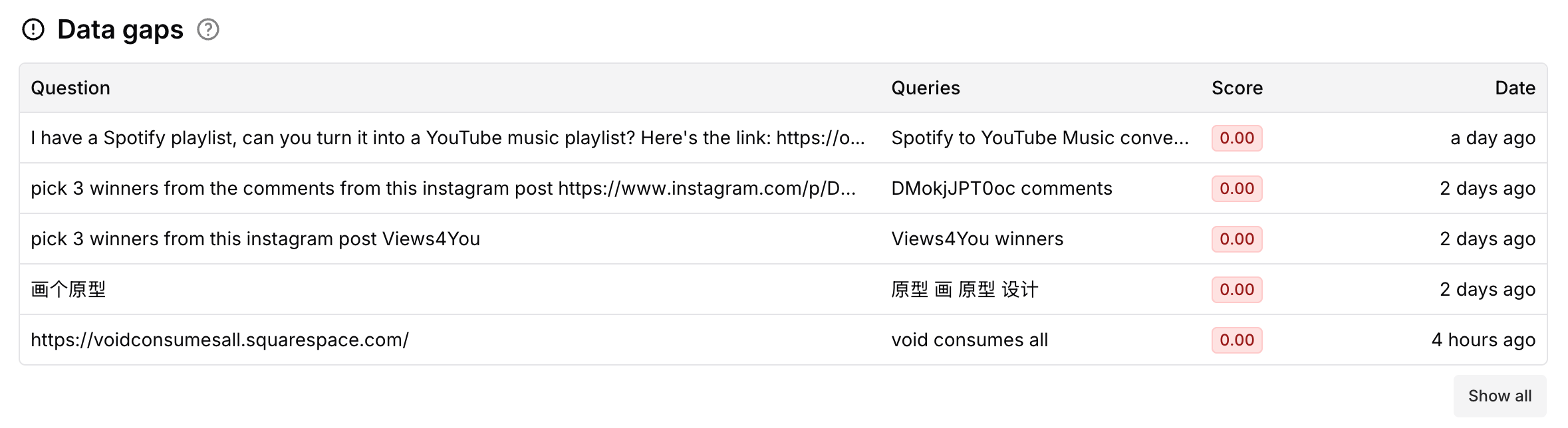
The app now shows data gaps in your documentation. It compares incoming queries against the best-matching document. If the max score is lower than 0.3, it considers the query a gap in the documentation. More tools for this are coming in future releases.
August 2, 2025
Now you can make collections Private. A private collection lets only private channels, such as Slack and Discord, interact with your knowledge. Private collections are best when you want only internal teams to use the bot.
Here is the summary:
| Collection type | Web (widget) | Slack bot | Discord bot | MCP |
|---|---|---|---|---|
| Public | ✅ | ✅ | ✅ | ✅ |
| Private | ❌ (only for team members) | ✅ | ✅ | ❌ |
August 1, 2025
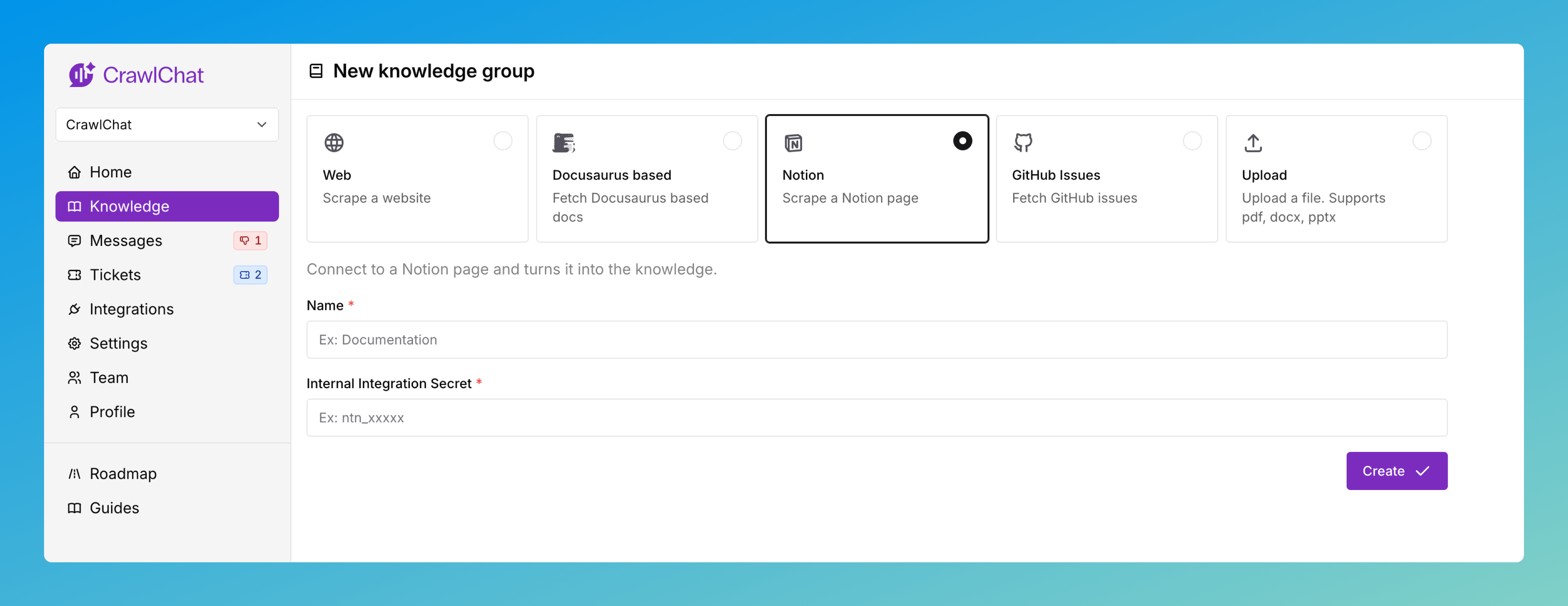
You can now connect your private Notion pages as a knowledge source on CrawlChat and keep them in sync. You need to create an API token in Notion to make it work. The full setup guide is here.
Once you have set up the Knowledge Group, you can configure which pages to ignore and enable auto-updates from the knowledge group settings page.
July 31, 2025
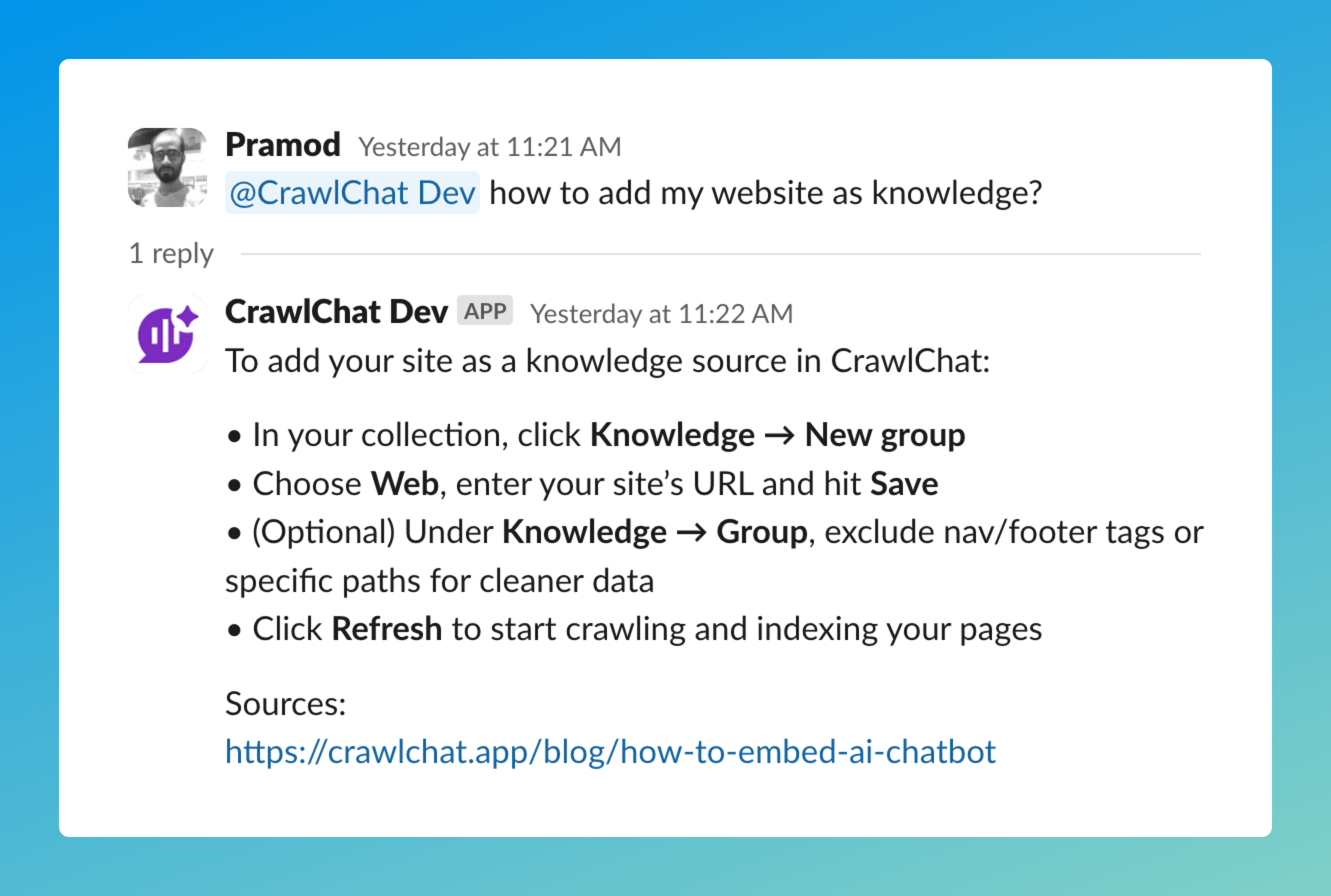
Released the public version of the Slack bot, which will answer queries in your workspace.
- Install the bot from here
- Tag
@crawlchatand ask questions - Use 👍🏻 and 👎 emoji reactions to rate it
July 30, 2025
Added the ability to log in to the app with any Google-based account directly.
Note: The account is linked to the email address, so you can use any channel to log in to your account as long as the mapped email address is the same.
July 29, 2025
Released the teams feature on CrawlChat. You can now invite your team members and build the knowledge base and agent together. The collection carries the credits and limits of the owner. You can invite a team member by email, and they are added with the member role, whereas the owner has the owner role.
Members can do almost everything except delete the collection and remove other members. This will be revisited in future releases. Please check your plan and limits for creating collections and inviting new members.
July 27, 2025
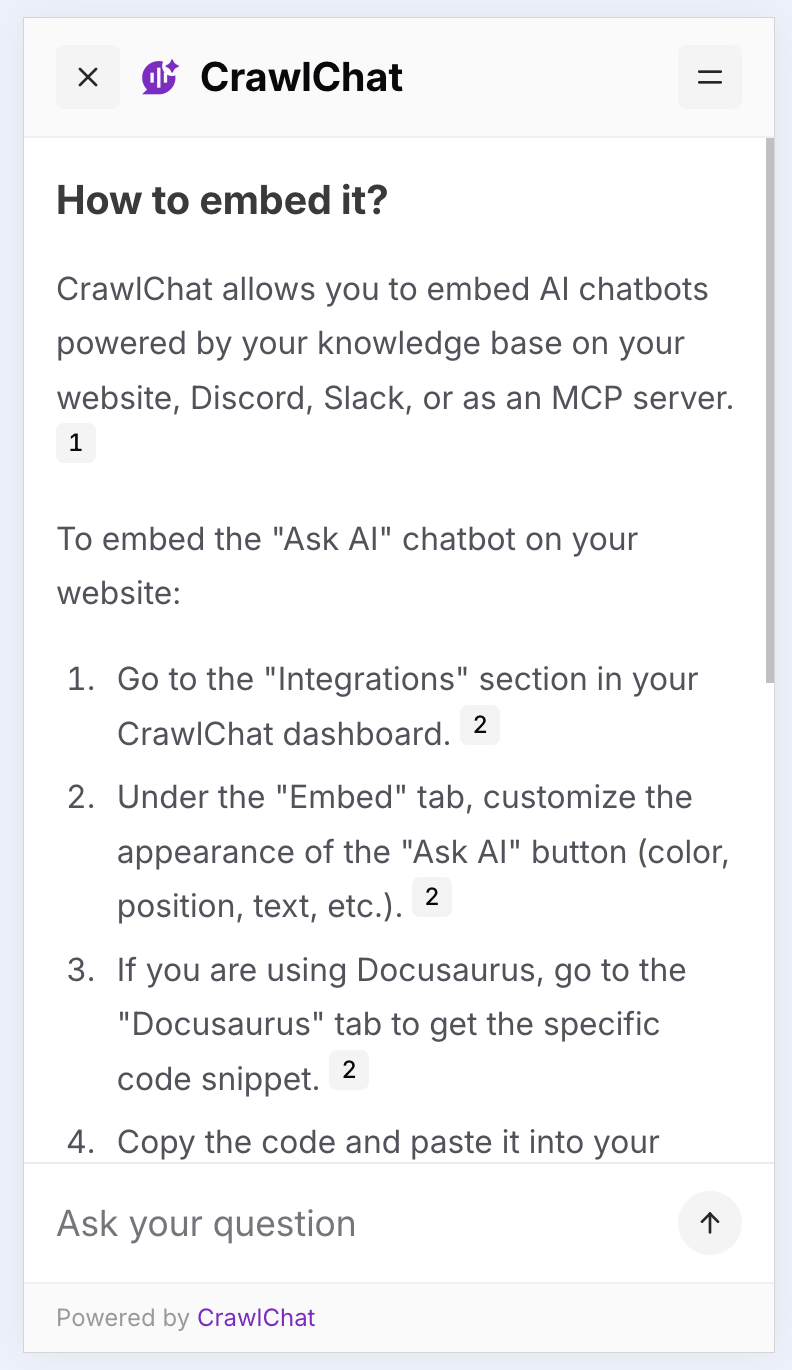
The chat widget now takes up the full screen on mobile for a better user experience. Users can close the widget with the close button in the top-left corner.
July 26, 2025
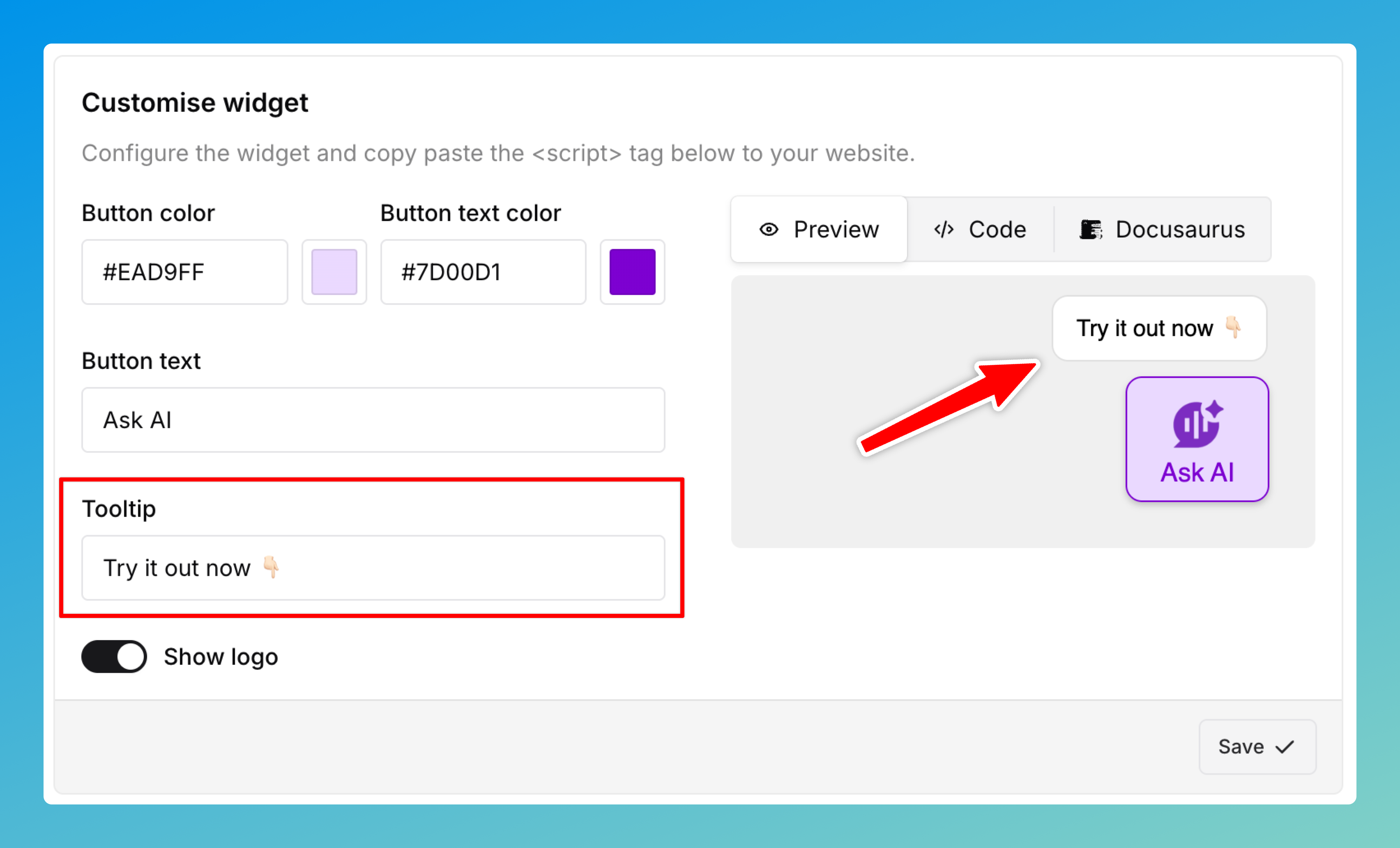
Added a Tooltip option for the Ask AI button you embed on your web page. This always shows above the Ask AI button. It helps remind users that they can use the Ask AI button to resolve their queries. You can customize the text from the Customize widget section.
July 22, 2025
Now you can use OpenAI o4-mini model on both Starter and Pro plans. Here is the summary of the current available models
| Model | Credits per message | Answer quality | Plan |
|---|---|---|---|
| 4o-mini | 1/message | Basic | Free |
| o4-mini | 2/message | Reasoning | Starter, Pro |
June 26, 2025
You can enable the support ticket module on demand for any collection. Once enabled, users can create support tickets from the chat widget in two ways:
- Whenever the agent answers a question, it prompts the user to confirm whether the query is resolved. If they choose no, it shows a form asking for the title, description, and email address so it can create a support ticket.
- The widget also shows the support ticket creation form whenever it has no answer from the knowledge base. It autofills the title and description, and the user only needs to enter an email address to create the ticket.
Once a support ticket is created, you can manage it from the Tickets page in the dashboard. Users receive updates, such as new messages and resolutions, by email. Each ticket can be accessed only from a unique link sent to the user, so it stays secure.